Search this site
69 results found with an empty search
- Game-Changing AI-First Solutions for Global Energy
Game-Changing AI-First Solutions for Global Energy Energy Industry in 2026 and Beyond The global energy industry in 2026 stands at a defining moment. After a decade of rapid transition, nearly two‑thirds of all new energy spending now flows into cleaner technologies . In 2025 alone, investment reached $3.3 trillion, with $2.2 trillion, about 66% directed to clean energy. That shift is significant: even amid geopolitical tension, supply pressures, and affordability concerns, the momentum toward decarbonization has not faded, it has hardened into long‑term strategy. Energy has become a core lever of industrial competitiveness and national security . China continues its massive clean‑technology manufacturing surge; the U.S. and EU are deploying unprecedented subsidies across batteries, hydrogen, and clean‑tech supply chains; and India is pushing one of the world’s fastest renewable buildouts. These moves signal a common ambition: align economic growth with net‑zero pathways while securing reliable energy for expanding populations and industries. Yet the execution challenge is real. Scaling wind, solar, hydrogen, sustainable fuels, advanced nuclear and carbon‑capture—from pilot to industrial footprint—demands speed the sector has rarely achieved. Supply chains for critical minerals remain fragile, grids must absorb higher shares of intermittent renewables, and the capital requirements for new infrastructure remain steep. The old, linear way of planning and operating simply cannot keep up. All of this means the industry needs smarter, faster, and more adaptive approaches to decision‑making tools that turn data into clarity, workflows into intelligence, and complexity into predictable action. That is why AI‑First design and solutions, delivered through modern low‑code platforms, is emerging as one of the most transformative enablers of the 2026 energy landscape. Game-Changing AI-First Solutions for Global Energy As energy systems become more distributed and diversified, the challenge is shifting from building assets to operating them smarter . AI‑First approaches—powered by platforms like Power Apps, Power Automate, Dataverse, Power BI, and Copilot are helping organizations turn routine operational data into quick, practical decisions. Across the value chain, a clear pattern is emerging—with AI that interprets what’s happening, suggests the next best step, and reduces ambiguity for frontline teams . These aren’t long transformation programs, they’re fast, lightweight solutions that immediately strengthen safety, reliability, and efficiency. We have listed out examples that help visualize the game-changing impact of AI-First Solutions in Energy. Short video: Game-Changing AI-First Solutions for Global Energy Watch this short video for quick glance, the rest of the blog after the video describes the solutions and their impact in details. While the examples that follow illustrate what’s possible, they’re just a starting point; many more solutions on similar lines can be explored as operators advance their digital maturity . City Gas Distribution (CGD) CGD networks are shaped by the priorities of urban safety, dependable supply, and quick operational response . The three examples below show how AI can help interpret field inputs, understand consumption patterns, and guide network adjustments on similar lines to leading gas utilities. Beyond these, many more solutions can be envisaged, from identifying recurring hotspot zones to capturing insights hidden in customer interactions or field‑technician notes. Together, such AI‑enabled capabilities can meaningfully uplift reliability and service experience across expanding CGD footprints. Incident Intelligence Copilot A streamlined digital workflow captures gas‑related incidents and uses Copilot to interpret the narrative, classify the situation, and recommend actions. The classification, severity, and insights are stored centrally for supervisors to review, while visual summaries highlight emerging hotspots across the city. This delivers an intelligent safety and operations experience. How this was designed? Watch the Demo below to understand how this solution has been designed by combining Human and AI Agents together! Demo: AI-First Design of Incident Intelligence Copilot System How does this work? Watch the Demo below to understand how this solution works Demo: Incident Intelligence Copilot AI‑Driven Demand Insights Daily and seasonal trends in consumption are analyzed automatically to highlight peak periods, volatility, and unusual behavior across network clusters. Copilot provides interpretive summaries, enabling CGD planners to pre‑emptively adjust field activities and resource allocation. The insights create a clear view of demand behavior. How this was designed? Demo: Designing of AI‑Driven Demand Insights How does this work? Demo: AI‑Driven Demand Insights Digital‑Twin Lite for Pipeline Optimization A simplified representation of the city gas network allows teams to adjust assumed pressures and valve states and ask Copilot for recommended operational adjustments. The system explains why certain routes or pressure corrections would stabilize flow or reduce risk. This offers a crisp digital‑twin. How was this designed? Demo: AI-First Design of Digital‑Twin Lite for Pipeline Optimization How does this work? Demo: Digital‑Twin Lite for Pipeline Optimization Petrochemicals In petrochemicals, the focus remains firmly on operational reliability, margin protection, and disciplined safety practices . The examples below demonstrate how AI can interpret equipment conditions, support feedstock choices, and streamline permit processes, approaches commonly seen in modern digital plants. Yet, these represent only a beginning; this also opens the door to numerous additional possibilities, including energy‑efficiency interpretation, emissions‑pattern analysis, automated loss explanations, and insights from lab data trends. These advancements combine to improve uptime, accountability, and operational clarity for Petrochemicals sector. Predictive Maintenance Simulator Operators assess equipment health by entering key operating indicators, which Copilot analyses to classify the condition as normal, warning, or critical. The explanation behind each classification is recorded, allowing supervisors to spot recurring issues. Trend visuals help engineers understand degradation patterns and prioritize maintenance. How was this designed and how does it work? Demo: Predictive Maintenance Simulator Feedstock & Blend Recommendation Engine Feedstock combinations are compared through an internally maintained quality, yield, and cost profile. Copilot evaluates the available options and suggests the optimal blend along with the reasoning behind the choice. This helps demonstrate how AI supports refinery planning. How was this designed and how does it work? Demo: Feedstock & Blend Recommendation Engine Turnaround & Permit Intelligence Assistant Turnaround actions and safety permits are centrally managed, with Copilot reviewing each record for completeness, risk, and dependencies. The assistant highlights gaps, summarizes complexity, and offers guidance on sequencing. Supervisors gain quick visibility into progress and risk levels. How was this designed and how does it work? Demo: Turnaround & Permit Intelligence Assistant LNG Ecosystem The LNG value chain demands precision in routing, dependable train operations, and seamless terminal coordination . The examples below highlight how AI can assist with route evaluation, operational triage, and slot planning, like techniques adopted in advanced LNG control environments. But these are merely illustrative—there is a larger landscape of solutions on similar lines, such as send‑out forecasting sandboxes, digital narratives explaining variation across terminals, and reliability boards for liquefaction units. These AI‑driven improvements can significantly elevate agility and planning confidence in LNG Ecosystem. LNG Cargo Planning & Routing Advisor Scheduling teams review cargo timelines, risk levels, and route options within a simple planning interface. Copilot evaluates the available pathways and recommends the most efficient or safest choice, presenting a clear rationale. This enables a strong demonstration of LNG logistics intelligence. How was this designed and how does it work? Demo: LNG Cargo Planning & Routing Advisor Alarm Triage & Health Prioritization Internal alarm patterns from liquefaction or regasification environments are analyzed to identify clusters, recurring anomalies, and potential underlying issues. Copilot summarizes the most critical categories and suggests corrective actions. Leaders can then understand which operational issues deserve focus. How was this designed and how does it work? Demo: Alarm Triage & Health Prioritization Berth & Terminal Slot Optimizer Terminal teams view berth assignment schedules through a simple timeline and rely on Copilot to detect overlaps or potential congestion. When conflicts arise, the assistant proposes alternative slot arrangements along with explanations. This illustrates AI‑supported marine and terminal planning. How was this designed and how does it work? Demo: Berth & Terminal Slot Optimizer Renewable Energy (Solar & Wind) Renewable energy operations center on maximizing asset output, managing variability, and ensuring grid alignment . The examples below show how AI can identify underperformance, refine curtailment decisions, and prioritize high‑impact maintenance actions. These are only early steps—several more directions on similar lines can be explored, including renewable‑site benchmarking, loss‑factor interpretation, sustainability snapshots, and simple grid‑stress simulations. Collectively, such capabilities help Renewable Energy portfolios deliver more consistent and optimized generation. Turbine & Solar Performance Analyzer Performance values from wind turbines and solar assets are compared to their expected outputs. Copilot identifies deviations, ranks underperforming units, and suggests plausible operational reasons. This provides an accessible, intelligent asset‑performance narrative complementing external SCADA systems. How was this designed and how does it work? Demo: Turbine & Solar Performance Analyzer Curtailment Recommendation Assistant Renewable generation and load profiles are assessed to identify surplus periods and potential curtailment windows. Copilot proposes an optimized curtailment strategy that minimizes lost energy while maintaining balance. The results help illustrate how AI supports grid‑side renewable integration decisions. How was this designed and how does it work? Demo: Curtailment Recommendation Assistant Renewable Work Priority Evaluator Maintenance jobs are evaluated using basic parameters such as expected production impact and accessibility. Copilot ranks jobs for the day and justifies the ordering, enabling teams to focus on the highest‑value work. Visual summaries track how effective prioritization improves uptime across sites. How was this designed and how does it work? Demo: Renewable Work Priority Evaluator Hydrogen Hydrogen ecosystems emphasize cost‑effective production, robust safety interpretation, and smooth hub coordination . The three examples provided below illustrate how AI can guide production timing, assess safety inputs, and balance supply–demand interactions. Still, these are only the initial layers, a wider range of opportunities also opens, such as purity‑trend evaluation, cost‑trajectory modelling, early hub‑expansion assessments, or corridor‑planning explorations. These AI‑supported directions can accelerate both developmental and operational maturity in hydrogen projects. Electrolyzer Scheduling Advisor Internal parameters such as renewable availability, indicative energy cost, and equipment constraints form the basis for Copilot to propose an operating schedule. The assistant highlights when the system should run, pause, or adjust intensity, helping teams visualize AI‑supported hydrogen production planning. How was this designed and how does it work? Demo: Electrolyzer Scheduling Advisor Hydrogen Network Safety Copilot Hydrogen incidents or operational observations are recorded, and Copilot interprets each input to classify severity and recommend containment or corrective actions. Insights are stored for review, and visual summaries reveal clusters of recurring issues. This offers a strong hydrogen‑safety demonstration using only internal records. How was this designed and how does it work? Demo: Hydrogen Network Safety Copilot Hydrogen Hub Dispatch Balancer Hydrogen producers and consumers within a hub environment are represented through simple capacity and demand values. Copilot generates an optimal allocation plan, distributing available volumes efficiently while minimizing deficits. This demonstrates how AI can orchestrate hydrogen dispatch entirely within a low‑complexity internal model. How was this designed and how does it work? Demo: Hydrogen Hub Dispatch Balancer Biofuels Biofuels must balance feedstock volatility, yield stability, and transparent sustainability reporting . The examples below showcase how AI can assess feedstock quality, highlight yield anomalies, and simplify compliance preparation. These serve as illustrative starting points—other avenues worth exploring include CI scenario modelling, feedstock‑risk spotting, pathway comparisons, and automated sustainability summaries for each batch. Together, these capabilities can enhance traceability, consistency, and decision‑readiness for biofuel producers. Feedstock Sustainability & Quality Scoring Different batches of feedstock are evaluated according to quality and sustainability attributes. Copilot computes a combined score and highlights batches that require blending or additional checks. This shows how AI can strengthen biofuel feedstock decision‑making using structured reference values. How was this designed and how does it work? Demo: Feedstock Sustainability & Quality Scoring Batch Yield & Energy Efficiency Monitor Production batches are reviewed for yield and energy usage. Copilot analyses internal batch parameters to highlight inconsistencies, inefficiencies, or potential process issues. Supervisors can then track efficiency trends and identify opportunities for operational improvement. How was this designed and how does it work? Demo: Batch Yield & Energy Efficiency Monitor Biofuel Compliance & Documentation Assistant Compliance documents, quality records, and sustainability evidence are catalogued in a central repository. Copilot generates quick summaries of each evidence set, highlights missing elements, and maintains a clear audit trail. Internal dashboards show readiness levels across production batches. How was this designed and how does it work? Demo: Biofuel Compliance & Documentation Assistant Nuclear Energy Nuclear operations prioritize absolute safety, high readiness, and strong knowledge reliability . The examples below demonstrate how AI can help rank maintenance priorities, assess outage preparedness, and surface institutional knowledge. Yet they represent only an entry point, many other innovations can build on these foundations, such as logbook summarization, event‑sequence analysis, training‑gap identification, and checking the impact of procedural updates. These AI‑driven insights help strengthen assurance and operational discipline in Nuclear Energy Ecosystem. Maintenance Priority Intelligence Nuclear equipment items carry internally defined risk and criticality values. Copilot evaluates these attributes and generates a ranked maintenance list with explanations. Teams gain clear visibility into which components matter most from a safety and reliability perspective. How was this designed and how does it work? Demo: Maintenance Priority Intelligence Outage Readiness Intelligence Board Outage preparation tasks are evaluated by Copilot, which highlights gaps, risks, and dependency issues across different parts of the plant. A consolidated readiness summary helps leaders understand whether outage preparations are on track and where support is required. How was this designed and how does it work? Demo: Outage Readiness Intelligence Board Operator Knowledge Copilot A curated internal knowledge base of operating procedures and emergency guidance powers a dedicated Copilot Agent. Operators and trainees can ask natural‑language questions and receive precise, contextual answers. Usage analytics highlight knowledge gaps and training needs. How was this designed and how does it work? Demo: Operator Knowledge Copilot Sustainable Aviation Fuel (SAF) The SAF sector is driven by accurate carbon‑intensity calculation, reliable sourcing choices, and transparent certification flows . The examples below show how AI can bring structure to CI evaluation, purchasing decisions, and certificate handling on similar lines to emerging SAF digital systems. These are just the early examples—the space opens many more areas to innovate, including blend‑recipe exploration, CI forecasting, supply‑risk insights, and auto‑generated compliance notes for airline partners. AI‑First enhancements can help build trust, traceability, and scale in Sustainable Aviation Fuel markets. SAF Carbon‑Intensity Advisor Feedstock properties, process parameters, and energy values form the basis for Copilot to compute a carbon‑intensity score. The system flags compliance risks and stores result centrally. Trend visuals help sustainability teams track CI performance across batches. How was this designed and how does it work? Demo: SAF Carbon‑Intensity Advisor Feedstock Sourcing Intelligence Suppliers are evaluated based on their cost and carbon profiles. Copilot reviews available options and recommends the most efficient sourcing choice while explaining trade‑offs. This gives supply‑chain teams an intelligence layer with zero external data dependencies. How was this designed and how does it work? Demo: Feedstock Sourcing Intelligence SAF Certificate & Transaction Record System SAF production batches and associated certificates are managed within a unified register. Copilot drafts transaction summaries and supports certificate issuance or transfer workflows. Dashboards track volumes, buyers, and compliance metrics, giving transparency across the SAF value chain. How was this designed and how does it work? Demo: SAF Certificate & Transaction Record System Compounded Impact: AI-First Solutions for an Integrated Energy Future What makes AI‑First adoption in energy truly powerful isn’t any single workflow—it’s the compounding effect that emerges when smarter decisions start happening everywhere in the system. A well‑timed curtailment adjustment, a clearer maintenance priority, or a sharper forecasting insight may look small in isolation, but across grids, terminals, plants, and fleets, these improvements reinforce each other. Taken together, AI-First Solutions help the sector deliver more reliability, lower costs, and fewer emissions on the same physical infrastructure. This ripple effect is already visible. AI‑driven forecasting and operational intelligence are helping operators avoid unnecessary outages, reduce variability, and extract more value from renewables. In fact, one well‑documented example saw wind power value increase by ~20% simply through better predictions and day‑ahead scheduling, proof that intelligent timing alone can unlock meaningful gains. Across industrial operations, predictive maintenance and process optimisation are cutting downtime, sharpening asset performance, and reducing waste, direct enablers of both profitability and decarbonization. When these capabilities scale across an integrated energy system, their impact grows exponentially. Smarter grid management enables more renewable penetration; better refinery insights reduce energy intensity; hydrogen hubs operate with higher confidence; and SAF value chains become more transparent and credible. The result is an ecosystem that is more flexible, more resilient, and more future‑ready . In a world where clean‑energy investment has already climbed to $2.2 trillion , almost double fossil‑fuel investment, and where electricity demand is rising across industries, data centers and electrified mobility, AI‑First design provides the operational intelligence needed to keep pace. It allows energy companies to move from reactive operations to proactive orchestration—turning complexity into clarity and ambition into measurable progress. Ultimately, AI‑First solutions aren’t just for improving individual processes; they are quietly rewiring how the global energy system learns, adapts, and scales, a crucial enabler for the integrated, low‑carbon future now taking shape. About AccleroTech AccleroTech is a leading AI‑First solutions company that has been instrumental in accelerating productivity and innovation for enterprises around the world. In the energy domain, we have delivered some of our most significant breakthroughs, driving AI‑powered transformation across a wide range of operational and strategic workflows. AccleroTech can be your key partner in crafting, implementing and maintaining the Game-Changing AI-First Solutions for Global Energy! Over the years, AccleroTech has achieved notable milestones, with several standout accomplishments including: Demonstrable Impact AccleroTech has built a reputation for delivering AI‑First solutions that create measurable impact—not in theory, but in day‑to‑day operations. Our work consistently translates into faster decision cycles, reduced effort on repetitive workflows, clearer operational visibility, and improved performance across business functions. Whether it’s compressing processes that once took hours into minutes or transforming unstructured data into actionable insights, our focus is always on outcomes that teams can feel immediately . AI‑First, Remote‑First Delivery As a born‑digital organization, we operate with an AI‑First mindset and a truly remote‑first talent model , enabling us to bring global expertise together instantly. This allows rapid experimentation, accelerated solution development, and continuous adoption of the latest AI capabilities. By combining deep engineering skill with a reuse‑driven approach, we deliver high‑quality solutions quickly and reliably—often cutting traditional delivery timelines by a significant margin. Power Platform & Copilot Innovations We are among the early adopters of the Microsoft ecosystem’s most advanced capabilities, including Power Apps, Power Automate, Dataverse, Power BI, and Copilot Studio. Over time, we have built dozens of intelligent apps and copilots that simplify complex workflows, enhance productivity, and bring AI directly into the tools people already use. Our approach ensures AI doesn’t sit on the sidelines—it becomes a natural extension of everyday work. Outcome‑Driven Engagements Every engagement at AccleroTech is anchored in clear KPIs and real business value. Through our O3 Commitments: Outcome-Driven, Output‑Based, and Ownership with Warranty —we align our work to what matters most for our customers. This ensures not only successful delivery but long‑lasting performance, operational confidence, and strong return on investment. Our clients trust us because we focus on what works, measure what matters, and stand behind every solution we deploy. Community and Ecosystem Beyond project delivery, AccleroTech fosters a thriving global community named as PowerStackers (click on the link to know more). This community is our network of AI engineers, low‑code specialists, and digital creators. This community‑driven model accelerates learning, encourages knowledge sharing, and keeps us at the forefront of emerging AI trends. (Some of the solutions listed above are researched and contributed by some of our Community of PowerStackers and vetted by a larger network of Industry Experts.) Our collaborations with Microsoft programs and industry experts help us continuously refine best practices and bring the most relevant innovations to our customers. By bringing these strengths together, AccleroTech is uniquely positioned to amplify the transformative shifts outlined in this blog. Our AI‑First solutions help energy organizations turn ideas into impact—whether it’s improving operational intelligence, enhancing forecasting, or orchestrating complex digital workflows across emerging value chains. We specialize in translating ambition into action, accelerating the journey from concept to real‑world deployment with speed and clarity. As we continue partnering with energy leaders across geographies, our commitment remains constant: to enable a more efficient, sustainable, and intelligent energy future. With deep technical capability, a reuse‑driven engineering model, and an unwavering focus on outcomes, AccleroTech aims to be the trusted AI partner for organizations seeking not just incremental gains, but breakthrough performance in the years ahead. Please contact us at info@acclerotech.com to know more and discuss your AI-First needs.
- From Vision to Velocity
From Vision to Velocity 2025 has been an extraordinary year for AccleroTech, a year when our founding vision truly came to life. When we started AccleroTech, we set out with a simple but ambitious goal: to accelerate productivity for businesses by harnessing the power of AI and the Microsoft Power Platform. We believed that an AI-first approach , combined with a remote-first talent model and a focus on reusable solutions , could deliver transformative results for our customers. This year proved that belief right. We delivered dozens of innovative solutions across industries, grew a global team of “PowerStackers” (our full-stack Power Platform engineers), and even earned recognition from Microsoft by joining their exclusive Startup Founders Hub. As Co-founder and CEO, I’m proud to reflect on how far we’ve come in 2025 and excited to share how these experiences are shaping our path into 2026. For those who would want to see a short video version of the blog, click below Vision to Velocity towards Value! Why We Started AccleroTech – Our Founding Vision My co-founders and I launched AccleroTech with the conviction that enterprise software development needed a new playbook. We saw an opportunity to use AI and low-code platforms to build smarter solutions faster . Traditional development could be slow and siloed, so we envisioned a different kind of company: one born in the era of cloud and AI, not burdened by legacy methods. Our idea was to combine AI-first solution engineering with a remote-first team of experts , and to continually reuse and refine solution components for efficiency. In practical terms, this meant two things: first , always infuse our solutions with artificial intelligence capabilities (from automation bots to predictive analytics) to maximize impact; second , enable a distributed team of talented engineers (unconstrained by geography) to collaborate and deliver for clients via the cloud. From day one, we also invested in building a library of pre-built solution modules so we wouldn’t have to start from scratch for every project. Th is reuse-first philosophy would let us deliver results quicker and more consistently. Our guiding mission became “Accelerating Productivity with AI-First technologies,” and every decision flowed from that. At the start of 2025, that mission was still more of aspiration than reality – we were a young company with big ideas. But as the year unfolded, we began to see our vision materialize in a big way. In other words, over 2025, we moved from Vision to Velocity! Scaling Solutions – What We Built in 2025 In 2025, we hit our stride in delivering impactful solutions to customers. It’s incredible to look at the numbers: we created and deployed well over 125+ new custom solutions this year . These solutions spanned 9 different industries and 7 functional domains . In other words, we weren’t solving the same problem twice – we tackled everything from manufacturing workflows to healthcare analytics, from HR self-service apps to finance automation. For example, our team has built AI-driven process automation for a global manufacturing firm, streamlined patient data management for a healthcare provider, and delivered a suite of Power Apps to digitize operations for a public sector organization. We also created solutions for manufacturing, public sector, real estate, utilities, financial services and more. On the functional side, our projects addressed needs in Customer Service, HR, Finance, IT, Operations, Sales, and Marketing . What makes me especially proud is the variety and quality of these solutions. Many involved advanced use-cases like integrating AI Copilots for conversational support, implementing automation bots to eliminate tedious manual work, and designing rich business intelligence dashboards for data-driven decision making. For instance, we developed a GPT-powered leave management Copilot that handles employees’ time-off requests conversationally, and an AI Builder solution that processes thousands of invoices automatically for a client – saving countless hours of manual effort. Each project has added to our growing repository of reusable components. By year’s end, that repository has become a treasure trove of proven templates – from pre-built Power BI dashboards to ready-made workflow automations – which we can leverage for future customers. This reuse-first engineering not only accelerates delivery for our clients, it also assures them that they’re getting battle-tested, reliable solutions. Seeing our library exceeding 125 solution accelerators in 2025 is a concrete measure of how much we learned and built this year. Key Achievements and Milestones from 2025 Alongside delivering solutions for clients, 2025 brought some major milestones and recognition for AccleroTech. A highlight was our selection into Microsoft’s Startup Founders Hub – essentially Microsoft’s exclusive program for promising up-and-coming tech companies. In mid-2025, we got the news that Microsoft had “picked us up” for this program, and it was a thrilling validation of our direction. Being part of the Founders Hub has given us access to Microsoft’s resources, advisors, and early product previews. More than that, it signaled that our focus on the Power Platform and AI was being noticed at the highest levels. We believe we were invited into this exclusive group because of our unique approach – building AI-first solutions aligned with Microsoft’s Copilot strategy , and our commitment to including remote-first talent in high-end development. It’s not every day that a young startup from India gets a nod from Microsoft itself, and this achievement really energized our team and reassured our clients that we’re on the right track. Microsoft’s support didn’t stop there. Throughout 2025, we actively collaborated with Microsoft’s product teams and even participated in Early Access (preview) Programs for cutting-edge AI-First Power Platform and Copilot Studio Technology. For example, we were among the first to test out Microsoft’s Copilot Studio capabilities and the new Azure AI services (Foundry) in real-world scenarios. This early exposure meant we could adopt cutting-edge features in our client solutions ahead of others. It also allowed us to provide feedback and shape those tools – essentially co-innovating with Microsoft. Another milestone was being recognized as an “AI Cloud Partner” in some of Microsoft’s internal early-adopter circles, which reinforced that AccleroTech is seen as a thought leade r in the AI + Power Platform space. As the year progressed, our team published a series of insightful blog posts and articles sharing what we were learning. This was followed by many experts engaging with us. In late 2025, Packt Publishing reached out to AccleroTech with a special request: to review the second edition of the Microsoft Power Platform Solution Architecture Handbook, which had been significantly updated to reflect the platform’s evolving AI-first capabilities. Recognizing AccleroTech’s deep expertise in AI-first architecture and its growing reputation as a thought leader in Power Platform engineering, Packt invited our senior solution architects to provide a peer review of the manuscript. The review process was rigorous and collaborative—our team examined the handbook’s new chapters on AI integration, governance, and solution design, offering detailed feedback grounded in real-world implementation experience. We focused on identifying how th handbook’s guidance aligns with the latest best practices and practical realities of building AI-first solutions on the Power Platform. The experience was both an honor and a validation of our architectural leadership, as highlighted in our blog post on the book review (Link: https://www.acclerotech.com/post/solution-architecture-handbook-review-by-solution-architects ) Thus, we became active voices on LinkedIn and our own AccleroTech blog, discussing topics like Power Platform adoption patterns , the synergy of Microsoft’s Copilot Studio with Azure’s AI Foundry , and best practices for AI governance with the Power Platform. One article we wrote, Generative Orchestration in Copilot Studio (Link: https://www.acclerotech.com/post/generative-orchestration-in-copilot-studio ) explored how to use AI agents to dynamically coordinate business processes – reflecting our hands-on experience building those solutions. Another piece, Better Together: The Synergy of Copilot Studio & Azure AI Foundry , (Link: https://www.acclerotech.com/post/better-together-the-synergy-of-copilot-studio-azure-ai-foundry ) detailed how combining Microsoft’s newest AI offerings can dramatically accelerate solution development. We also shared success stories and patterns from our projects, such as common adoption challenges and how to overcome them in a post called Power Platform Adoption Patterns (Link: https://www.acclerotech.com/post/power-platform-adoption-patterns ) By regularly documenting and sharing our insights, we not only gave back to the community but also sharpened our own understanding. These publications indirectly led to more recognition – we saw increased engagement from clients and peers, and even Microsoft’s teams acknowledged our content. In short, 2025 wasn’t just a year of doing, but also a year of learning out loud and establishing AccleroTech as a though t leader in our domain. Our Engineering DNA – AI-First, Remote-First, Reuse-First If I had to sum up how we operate in one phrase, I’d say AccleroTech lives by an “AI-First, Remote-First, Reuse-First” engineering philosophy. In 2025, this approach proved to be a real differentiator for us, enabling both our solution success and the Microsoft recognition we received. Let me break down what these principles mean in practice and how our PowerStackers team embodies them: AI-First: We strive to embed artificial intelligence into every solution we design, and also to use AI to improve how we build those solutions. This year, that meant two things. First, for our clients we delivered AI capabilities as an integral part of their applications – whether it was an intelligent chatbot for customer support, an AI model to predict equipment failures, or a Copilot that assists users within an app. We treated AI not as a buzzword but as a baseline feature set for modern software. Second, we leveraged AI tools, ourselves, to speed up development. A great example is Microsoft’s new Copilot Plan Designer – an AI tool that can generate app frameworks and data models from natural language requirements. Our engineers embraced this tool eagerly. In one internal demo, we showed how an entire end-to-end solution (including multiple Power Apps, flows, and chatbots) could be initially scaffolded in less than a day using AI-assisted design. Those kinds of accelerations were eye-opening. By being “AI-first,” we essentially pair every human developer with AI helpers, from design to testing, which supercharges our productivity. This approach was aligned with Microsoft’s own direction (Copilot everything!), which is likely why they took notice of us. I genuinely believe our heavy focus on AI made our work in 2025 not just faster, but also smarter – yielding solutions that keep getting better over time through machine learning. Remote-First: From the beginning, we embraced a remote workforce model – long before it became a global norm. All through 2025, our team operated in a “work from anywhere” mode, and this year proved just how powerful that can be. We tapped into talent not just in our headquarters city of Pune, but across various regions. We have brilliant Power Platform engineers contributing from cities all over India, and even collaborators in other countries. This distributed team brought diverse perspectives and allowed us to offer almost 24/7 development cycles. For instance, a complicated Power BI dashboard build might be picked up by one developer during Indian daytime and then refined by another team member in a different time zone while it’s night in India – by the next morning, the client sees double progress. Remote-first also means we maximized tools like Microsoft Teams and Azure DevOps for seamless collaboration. I’m proud to say that in 2025, we proved a small specialized team working remotely can outperform large in-office teams . We stayed lean, avoided the delays of hand-offs, and attracted top-notch experts who prefer remote flexibility. On a personal note, I’ve seen our remote model also create opportunities for people who might not have been able to join a traditional office (like talented parents returning to work, or experts living in smaller towns). All of this has strengthened AccleroTech. By the end of 2025, our team grew in size and capability, yet we maintained a close-knit culture thanks to daily virtual stand-ups and an attitude of trust. The PowerStackers – as we call our engineering team – exemplify this remote excellence. They’ve shown that being remote-first isn’t a limitation; it’s a competitive advantage enabling us to be agile, scalable, and cost-effective for our clients. Reuse-First: Perhaps our biggest secret sauce has been our commitment to building once and reusing often. We invested heavily in creating a repository of solution components and accelerators, and every project we did in 2025 fed into that library. The payoff has been tremendous! When a new client comes to us with, say, a need for an employee onboarding app, we don’t start with a blank canvas – we already have a foundation (maybe a workflow from a previous HR project, or a Power App template from a similar use case). We can quickly customize and calibrate that baseline to the client’s needs, cutting development time dramatically. This year alone, the library grew to 125+ pre-built solutions covering everything from AI-powered document processing to pre-configured Power BI reports. We made a point to catalog these and keep them updated as Microsoft’s platform evolved throughout the year. Our reuse-first mindset means better quality too, because these components have been tested and improved across multiple scenarios. Clients benefit by getting proven, robust pieces in their solutions rather than v1.0 code every time. A great example in 2025 was our “Leave Management Copilot” – after building it for one customer, we generalized the core (an AI-driven leave request bot and approval flow) and added it to our repository. Later in the year, another client needed a similar capability; we were able to deliver it in a fraction of the time, with the confidence that it had already been used and refined. This approach not only saves time and money, but it also ensures consistency and reliability across our projects. It’s how we maintain high quality even as we move fast. By year’s end, “reuse-first” had become second nature to the team – an accomplishment in culture that is as significant to me as any single project delivered. The synergy of these three “Firsts” – AI, Remote, and Reuse – defines how AccleroTech operates day-to-day. In 2025, every project we undertook was a proof point that this formula works. A small example that illustrates it: one of our customers in the energy sector needed a custom app to track field asset maintenance. A PowerStackers team of three (spread across three different cities) got to work. They used a pre-built Power App template from our repository as a starting point (reuse-first), integrated an AI component to intelligently schedule maintenance based on past data (AI-first), and collaborated entirely remotely via the cloud (remote-first). Within weeks, they delivered a production-ready solution that astonished the client in its speed and sophistication. Stories like this repeated across our engagements. As a founder, it’s deeply satisfying to see the principles we laid out at inception translating into tangible outcomes for customers now. The PowerStackers Team and Community While reflecting on 2025, I must highlight the people behind all this progress – our PowerStackers . This nickname started as an internal way to describe our full-stack Power Platform engineers, but it has become a badge of honor within the company (and even outside now). Our team is not large in number, yet the depth of skill and enthusiasm they bring is immense. In 2025, our PowerStackers consistently showed what a versatile, motivated engineering team can achieve. They seamlessly switch hats between being solution architects, developers, automation experts, and data analysts. Everyone on the team has upskilled in multiple areas of the Power Platform (Apps, Automate, BI, Pages, AI components, and more), which means we can tackle projects holistically rather than in silos. This was by design – we encourage a “deep generalist” attitude, where each engineer might specialize in one area but is conversant in all. The result in 2025 was that any three or four PowerStackers could come together and build an end-to-end solution, front to back. That agility made a huge difference in how we delivered outcomes to clients quickly. Beyond delivering client work, our team also contributed to growing the PowerStackers community initiative that we kicked off this year. This is something very close to my heart. We realized that there is a vast pool of remote-first talent out there – budding developers, consultants, and students – who want to build careers in the Power Platform and AI, but lack guidance or opportunities. Given our own remote-first culture and expertise, we felt we could help bridge that gap. So, in 2025 we formally launched several PowerStackers initiatives aimed at supporting and mentoring remote-first professionals globally. We set up a community on GitHub and on the Microsoft Power Platform user groups (Link: https://community.powerplatform.com/usergroups/details/?groupid=743a7ee0-43a6-ef11-8a69-6045bdd667da ), where anyone interested could join, learn, and contribute to open-source Power Platform projects. We started hosting regular virtual meet-ups and knowledge-sharing sessions as part of the community. The response has been amazing: within months we had talented engineers across different countries engaging – asking questions, contributing code, and completing guided learning paths we provided. The PowerStackers community initiative offers structured programs for different levels (beginner, intermediate, and advanced) to master Power Platform skills in a practical, collaborative way. All our training content is based on official Microsoft Learn modules, but we augment it with real project scenarios and one-on-one mentorship from our AccleroTech team. For example, one program we ran was an “8 Weeks to AI-Powered App” challenge , where participants built a working Power Platform solution under guidance, learning about everything from Power Apps UI design to integrating an AI model via the Power Platform’s AI Builder. Many of our own engineers volunteered their time to mentor participants through these programs. It was incredibly rewarding to see a novice go from zero knowledge to building a functional app by the end of the program. This community isn’t just about training; it’s about creating a supportive network for remote-first professionals. We moderate forums where members help each other with technical problems, and we encourage experienced PowerStackers to share job leads and freelance opportunities with newcomers. In essence, we want to empower hundreds of remote-first folks to become skilled Power Platform practitioners (to become “PowerStackers” themselves!) regardless of their location. By the end of 2025, this initiative grew far beyond what we initially expected. We have active community members from all over India, parts of the Middle East, and even Africa and North America – truly a global, remote-first gathering of talent. People are learning, building portfolio projects, and some have even landed jobs thanks to connections made in the community. As a CEO, nothing makes me happier than seeing AccleroTech’s influence extend in this way. It’s win-win: the community members get career growth, and we as a company get to foster a pipeline of passionate, trained individuals who might collaborate with us in the future. We plan to double down on the PowerStackers community in 2026, reaching even more aspiring Power Platform developers and expanding the programs (including advanced workshops on things like Copilot Studio and AI agent development). It’s becoming a movement in its own right – one that aligns perfectly with our remote-first, inclusive values. O3 Commitments – Entering 2026 with Outcome, Output, and Ownership As we wrap up 2025 and look ahead to 2026, one big development is our new engagement model for customers, which we’ve termed the “3Os” or O3 commitments . 3Os stands for Outcome-Driven, Output-Based, and Ownership – three commitments we make to every client to ensure we remain laser-focused on delivering value. We introduced the 3Os model towards the end of 2025 after observing how traditional service contracts sometimes fall short in the age of AI and rapid development. Outcome-Driven: We commit to structuring projects around clear, measurable business outcomes. Instead of clients paying strictly for time or effort, we tie success to the actual results achieved. For instance, if the goal of a project is to reduce a process’s turnaround time by 50%, that outcome is our north star – and our commercial model can even be aligned to achieving it. In practice, this might mean more risk on us as a vendor, but it pushes us to truly understand the client’s objectives and to share accountability for achieving them. In 2025, we experimented with one outcome-based engagement (for a process automation project), and it was very well-received. Going forward, we want our clients to feel that we win only when they win – which is exactly what outcome-driven engagement fosters. Output-Based: This is about ensuring transparency and fairness in how we charge for our work. Rather than open-ended billing, we define concrete outputs or deliverables and price them. An output could be a module delivered, a integration completed, or a set number of apps built – something tangible. We even piloted a system of pre-agreed “effort units” for certain kinds of deliverables, essentially productizing our services into blocks. Clients appreciate this because it’s more predictable and aligned with what they actually get. For us, it creates efficiency – if we can reuse components and work smarter (as we always do), we can deliver an output faster and still charge for the value of the output, not the hours. In 2026, we’ll be rolling out output-based pricing for many of our services, giving customers options to pay per app, per workflow, etc., with flexibility built in. It’s a modern approach to professional services that we think is a great fit for AI-augmented engineering work. Ownership (with 12-Month Warranty) : Perhaps the most unique part of our 3Os is the emphasis on ownership. We don’t just deliver and disappear – we own the solutions we build alongside our clients. Concretely, we now offer a 12-month post-delivery warranty on all solutions. That means if anything goes wrong in the first year – a bug, a performance issue, an integration hiccup – we take responsibility to fix it, free of charge. We want our clients to know we stand by our work long after go-live. In the world of constantly updating cloud software, this is crucial. The Power Platform itself updates frequently; if a platform update causes something to break in our solution, we consider it our duty to adapt and fix it. By providing this warranty, we’re assuring customers that we’re in it for the long haul and that we deliver quality robust solutions. It’s not a common offer in our industry, so we hope it gives clients peace of mind and sets us apart as truly accountable partners . Together, these 3 Os – Outcome, Output, and Ownership – form a comprehensive promise: that AccleroTech will deliver real results, in a transparent way, and with long-term support. We started communicating this O3 model in late 2025 (we even wrote a blog post about “Outcome‑Driven, Output‑Based Ownership” to explain it. Link: https://www.acclerotech.com/post/acclerotech-obligations-3os ), and the response has been very encouraging. Existing clients have expressed how refreshing it is to see a service provider put skin in the game. As we enter 2026, all new engagements we undertake will be framed around these principles. I’m personally very excited about this because it makes us even more aligned with our customers’ success. It also fits perfectly with our identity: an agile startup that can be flexible with business models and is not afraid to guarantee its work. O3 is our way of saying we don’t just work for our clients – we partner with them to achieve outcomes, we’re willing to be judged by what we produce, and we’ll shoulder responsibility like an internal team would. In 2025 we went from Vision to Velocity and we start 2026 with Context, Speed and Rigor. Looking Ahead to 2026 Standing at the threshold of 2026, I feel a strong sense of accomplishment as well as anticipation. 2025 was the year we proved what AccleroTech is capable of – we turned our founding vision into tangible successes. We started the year as a small firm with big ideas, and we’re ending it as a trusted Microsoft Partner with a track record of delivering value to a diverse set of customers. The key building blocks we put in place – our amazing PowerStackers team, our rich repository of solutions, our structured approach to AI-first delivery, and our growing community presence – have set us up for even greater things to come. In 2026, our priorities will be guided by what we achieved and learned this year. First, we plan to deepen relationships within the Microsoft ecosystem. Our inclusion in the Founders Hub is just a beginning; we aim to capitalize on that by potentially co-selling with Microsoft and staying at the forefront of upcoming Power Platform features (from new Copilot capabilities to whatever else the Azure AI roadmap has in store). We want to be that go-to partner for any enterprise looking to adopt the latest and greatest that Microsoft has to offer in the business apps space. Second, we will continue expanding our solution offerings. Those 125+ reusable solutions – we intend to take them to 150, 200 and beyond. We have identified some white-space demands from our clients that we can turn into repeatable solutions (for example, we see need for more industry-specific AI dashboards, and for compliance-related Power Automate flows). By investing in building those proactively, we can offer an even more compelling toolbox to new customers. Essentially, our R&D doesn’t happen in isolation – every client challenge is an R&D opportunity that, when solved, goes into our solution library. That feedback loop will keep turning in 2026. Third, a big focus will be scaling up the PowerStackers community and talent pipeline. We consider this not just a CSR effort but a strategic one. The demand for Power Platform and AI skills is skyrocketing, and by training / upskilling a slew of professionals, we are also creating potential hiring candidates and collaborators. We plan to launch a few new initiatives, like a PowerStackers hackathon series and an advanced “PowerStackers Fellowship” where top performers from the community can intern or work on real AccleroTech projects. Nurturing talent in this remote-first manner will help us grow our team without compromising our culture. It also extends our brand into places we might not reach otherwise. I envision by end of 2026, the PowerStackers community could have many more members and be running itself with mentors who came on board this year. That is a very exciting prospect – to see a community flourish and amplify our mission far and wide. Finally, the 3Os (Outcome, Output, Ownership) will be our north star in every client conversation. I will personally ensure that our clients – new and existing – feel the impact of this model. Successful outcomes and delighted customers have always been important, but now we have a formal framework to guarantee them. I expect that by delivering on O3, we’ll build even deeper trust with our customers, leading to long-term partnerships and referrals. There’s no better marketing than a happy customer who has achieved tangible results and knows their solution is in safe hands. We believe that if we maintain that level of excellence, growth will take care of itself. In Closing Looking back, AccleroTech was started because we believed we could do things differently in the software world – faster, smarter, more collaboratively. 2025 has been the year that belief was proven out. We built a slew of impactful solutions for organizations large and small, showing that our focus on the Microsoft Power Platform was well-placed. We grew our reputation, being highlighted by Microsoft and establishing ourselves as thought leaders. We lived our values: AI at the core, remote work as a strength, and reusability as a force multiplier. We invested in people – both our tight-knit team and the broader community – and saw the returns in innovation and energy. And importantly, we prepared the groundwork to keep improving how we deliver, with the introduction of our 3Os commitment model. On a personal note, as I reflect on this past year, I feel grateful . Grateful to our clients who trusted a young company like ours to deliver critical projects – and who in turn pushed us to excel and innovate. Grateful to the AccleroTech team – every PowerStacker, every consultant – who poured their passion and expertise into making 2025 such a success. The culture we have is something special: one of ownership, continuous learning, and genuine camaraderie despite the physical distances between us. This year, I saw team members step up in remarkable ways, whether it was solving a urgent production issue or mentoring a community member, always driven by pride in our work and empathy for our customers. I’m also proud of how we’ve grown not just as a business but as enablers for others. Seeing our PowerStackers community members land jobs or our junior engineers blossom into leads has been immensely fulfilling. It reinforces the idea that businesses do well by doing good – something I hold as a guiding principle. As we enter 2026, we carry forward all these accomplishments and lessons. The road ahead is bright. We have ambitious targets: to double our impact, to keep pushing technological boundaries, and to make AccleroTech synonymous with AI-first Power Platform excellence on a global stage. I know challenges will come – technology always changes, and as we scale, we must maintain quality – but after what I’ve witnessed this year, I have unwavering confidence in our ability to adapt and thrive. We’ll stick to what’s core (our vision and values) while staying flexible in execution. To everyone who has been part of our 2025 journey – team members, customers, partners, and community friends – a heartfelt thank you! You have helped make this year truly special. We set out to accelerate productivity, and in doing so we accelerated our own growth and learning. Now, with 2025 in the books, AccleroTech is poised to soar even higher. I’m excited for the innovations we will create, the successes we will share, and the lives we will touch in the year ahead. Here’s to a fantastic 2026, armed with the lessons and momentum of 2025. Onward and upward! Warm Regards, Anand Kulkarni Co-Founder & CEO Acclero Technologies Pvt Ltd https://www.linkedin.com/company/acclero-tech
- OnboardMate Copilot Agent Demo: Intelligent Employee Onboarding with Microsoft Copilot Studio
OnboardMate Copilot Agent Demo: Intelligent Employee Onboarding with Microsoft Copilot Studio Business Context: Persistent Challenges in Employee Onboarding Onboarding new hires is a critical process for organizations, yet it often involves scattered emails, manual checklists, and repetitive administrative tasks. These inefficiencies slow down the onboarding journey, create confusion, and negatively impact the employee experience, especially in remote or hybrid work environments. Key Issues Manual coordination dominates: HR teams rely on spreadsheets and email threads to manage onboarding steps. Document submission delays: Employees struggle with unclear instructions and multiple upload points. Scheduling complexity: Introductory meetings require back-and-forth communication, wasting time. Training access gaps: New hires often wait days to receive links to essential resources. Existing Solutions: Progress and Persistent Problems While organizations use HR portals and email templates, challenges remain: Limited automation: Most onboarding workflows still require manual intervention. Integration gaps: Connecting document submission, meeting scheduling, and training resources often needs custom development. User experience: Traditional portals lack conversational intelligence and real-time guidance. Scalability: Manual processes don’t scale for distributed teams or large hiring volumes. The Need for Agentic, AI-Powered Solutions Industry trends point toward agentic automation —AI-driven assistants that streamline onboarding through natural language and intelligent integration. Why Agentic Solutions? Conversational intelligence: AI agents guide employees step-by-step in chat. Custom workflows: Automated document handling, meeting scheduling, and training access. Autonomous operations: Integration with Outlook, SharePoint, and Power Automate eliminates manual steps. OnboardMate Copilot Agent Demo: Intelligent Employee Onboarding with Microsoft Copilot Studio OnboardMate , developed using Microsoft Copilot Studio , Power Automate , Outlook , and SharePoint , delivers a seamless onboarding experience. How OnboardMate Works Conversational interface: Employees interact naturally to upload documents, schedule meetings, and access training. Personalized checklists: SharePoint stores tasks and tracks completion status. Secure document submission: Files are uploaded directly in chat and stored in SharePoint folders. Auto-scheduling: Power Automate books intro meetings in Outlook instantly. Training access: Fetches personalized resources from SharePoint and shares links in chat. Benefits and Impact (OnboardMate Copilot Agent Demo: Intelligent Employee Onboarding with Microsoft Copilot Studio ) Quantifiable Outcomes: 60% faster onboarding with automated workflows. Zero manual follow-ups for document collection and meeting scheduling. Improved employee experience through guided, conversational onboarding. Auditability: Centralized logs for compliance and reporting. Demonstration Highlights Efficiency: Upload documents and schedule meetings in seconds. Accuracy: Personalized checklists ensure no step is missed. Scalability: Works across multiple departments and roles. User experience: Modern, intuitive chat flow—no portals required. Industry Trends The market is moving toward AI-powered HR assistants that integrate seamlessly with Microsoft ecosystems, automate repetitive tasks, and improve employee engagement. OnboardMate Copilot Agent is a prime example of this evolution. About AccleroTech AccleroTech is an AI-First, Remote-First Microsoft Power Platform Solutions company, dedicated to accelerating productivity for global businesses with cutting-edge AI solutions. We empower remote-first engineers to become AI-first Power Platform specialists, delivering innovative solutions across industries using the world’s leading low-code, no-code platform. Our strategic focus includes AI-driven automation, conversational agents, business intelligence , and rapid solution development using a reuse-first methodology. 📩 Contact us at info@acclerotech.com
- TravelMate Demo: AI-Powered Business Travel Management with Microsoft Copilot Studio
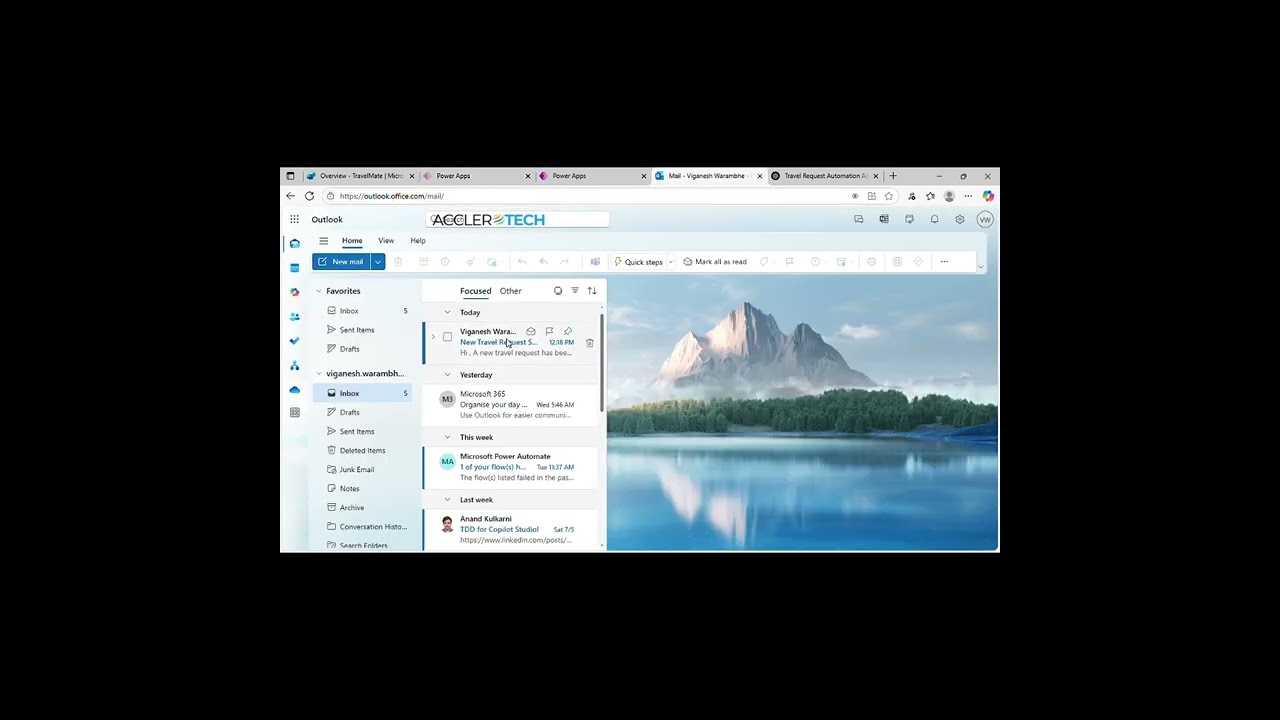
TravelMate Demo: AI-Powered Business Travel Management with Microsoft Copilot Studio Business Context: Persistent Challenges in Business Travel Managing business travel through emails, spreadsheets, and scattered approvals is slow, error-prone, and lacks real-time policy control. Employees face delays in approvals, managers struggle with tracking, and HR teams spend hours reconciling data manually. Key Issues Manual workflows: Travel requests and approvals handled via email chains. Policy confusion: Employees lack instant answers to travel policy questions. Tracking gaps: No centralized view of travel history for employees or managers. Compliance risks: Inconsistent processes lead to errors and delays. Existing Solutions: Progress and Persistent Problems While organizations use ERP or HR systems for travel management, challenges remain: Complex navigation: Static portals lack conversational guidance. Limited automation: Manual steps dominate submission and approval. Poor visibility: Managers and employees cannot track requests easily. The Need for Agentic, AI-Powered Solutions Modern enterprises demand agentic automation —AI-driven assistants that streamline travel workflows through natural language and intelligent integration. Why Agentic Solutions? Conversational intelligence: AI agents guide employees and managers step-by-step. Custom workflows: Submit, track, approve, and query policies—all in one interface. Autonomous operations: Integration with Outlook and Dataverse eliminate manual steps. TravelMate Demo: AI-Powered Business Travel Management with Microsoft Copilot Studio TravelMate , built using Microsoft Copilot Studio , Power Automate , Outlook , and Dataverse , delivers a seamless, intuitive experience for managing business travel. How TravelMate Works Submit travel requests: Employees enter trip details via chat. Track requests: Instantly view travel history and current status. Manager approvals: Approve or reject requests with comments in one click. Policy Q&A: Ask travel policy questions and get instant answers from knowledge sources. Benefits and Impact ( TravelMate Demo: AI-Powered Business Travel Management with Microsoft Copilot Studio) 60% faster travel request processing compared to manual workflows. Zero email dependency: Automated notifications replace email chains. Improved compliance: Centralized data ensures policy adherence. Auditability: Complete travel history for employees and managers. Demonstration Highlights Efficiency: Submit and approve requests in seconds. Accuracy: Captures all details without manual entry. Scalability: Works across multiple departments and roles. User experience: Modern, intuitive chat flow, no complexity. Industry Trends The market is moving toward AI-powered enterprise assistants that integrate seamlessly with Microsoft ecosystems, automate repetitive tasks, and improve employee productivity. TravelMate Copilot Agent is a prime example of this evolution. About AccleroTech AccleroTech is an AI-First, Remote-First Microsoft Power Platform Solutions company , dedicated to accelerating productivity for global businesses with cutting-edge AI solutions. We specialize in: AI-driven automation Conversational agents Business intelligence Rapid solution development using reuse-first methodology 📩 Contact us: info@acclerotech.com
- Demo:DocQuery Agent an Instant Answers from Your Documents
Demo:DocQuery Agent an Instant Answers from Your Documents Transforming Document Intelligence: DocQuery Copilot Agent by AccleroTech Business Context: Persistent Challenges in Document Intelligence Document management is a foundational yet frequently underestimated aspect of enterprise operations. Across industries—finance, HR, compliance, and customer service—the ability to efficiently and accurately extract information from large documents directly impacts productivity, compliance, and decision-making. Key Issues Manual search dominates: Over 70% of organizations still rely on manual scrolling, keyword searches, or asking colleagues for clarification when navigating lengthy PDFs and policy documents. This leads to wasted time and inconsistent answers. Risk of errors: Inaccurate or outdated information can result in compliance violations, poor customer service, and costly mistakes. More than half of enterprises cite document-related errors as a top operational risk. Operational inefficiency: Employees spend hours each week searching for answers in manuals, policies, or reports. Studies show that inefficient document search can reduce productivity by up to 25%. Compliance pressure: Regulations require timely, accurate responses to audits and inquiries. Manual processes make it difficult to ensure consistency and traceability. Existing Solutions: Progress and Persistent Problems While enterprise content management systems and SaaS document repositories have digitized storage and search, several challenges remain: Limited intelligence: Most platforms rely on basic keyword search, which struggles with context, synonyms, and complex queries. Integration gaps: Connecting document systems with chatbots, workflow tools, or knowledge bases often requires custom development, leading to data silos. User experience: Many solutions offer form-based or static interfaces, lacking conversational intelligence and adaptability for diverse user needs. Security and reliability: Ensuring secure, auditable access to sensitive documents remains a challenge, especially for regulated industries. The Need for Agentic, AI-Powered Solutions Industry analysts highlight a shift toward agentic, AI-powered solutions that deliver measurable business outcomes, trust, and value. Why Agentic Solutions? Conversational intelligence: AI-driven agents engage users in natural language, adapt to complex queries, and learn from interactions. Organizations implementing conversational AI for document search report a 30% reduction in search time and a 20% increase in answer accuracy. Custom workflows: Agentic systems allow organizations to tailor document retrieval, approval flows, and compliance checks to their specific needs. Autonomous operations: These solutions coordinate with knowledge bases, document repositories, and user profiles, making contextual decisions and reducing manual intervention. Demo:DocQuery Agent an Instant Answers from Your Documents DocQuery , developed by AccleroTech using Microsoft Copilot Studio, exemplifies the future of document intelligence. How DocQuery Works Conversational interface: Users interact with DocQuery in natural language, asking questions about policies, manuals, or reports. Instant answers: DocQuery searches large PDFs and documents, extracting precise, context-aware answers in seconds. Reference-based responses: Answers are sourced from trusted documents, ensuring accuracy and compliance. Continuous learning: The agent improves over time, adapting to new documents and user feedback. Benefits and Impact (Demo:DocQuery Agent an Instant Answers from Your Documents) Quantifiable Outcomes: 40% reduction in time spent searching for document-based answers. 30% increase in operational efficiency due to automation and streamlined workflows. 20% higher employee satisfaction with conversational AI-powered document search. Compliance assurance: Automated, auditable responses reduce risk of fines and audit failures. Demonstration Highlights Efficiency: Employees get instant answers, reducing time spent searching and improving productivity. Accuracy: Responses are sourced directly from reference documents, minimizing errors and ensuring compliance. Scalability: DocQuery supports high document volumes and complex queries without bottlenecks. User experience: The conversational interface is friendly, intuitive, and accessible to all users. Industry Trends The market is shifting toward AI-powered, customizable, and agentic solutions that integrate seamlessly with existing ecosystems, support compliance, and deliver real-time analytics. DocQuery Copilot Agent Demo offers a glimpse into this AI-powered future. About AccleroTech AccleroTech is an AI-First, Remote-First, Microsoft Power Platform Digital Solutions & Services company, dedicated to accelerating productivity for global businesses with cutting-edge AI solutions. We empower remote-first engineers to become AI-first Power Platform specialists, delivering innovative solutions across industries using the world’s leading low-code, no-code platform. AccleroTech’s strategic focus includes AI-driven automation, conversational agents, business intelligence, and rapid solution development using a reuse-first methodology. Contact us at info@acclerotech.com to avail of our agentic solutions!
- Demo: NotifyMate, transforming Status Tracking with Copilot Studio
Demo: NotifyMate, transforming Status Tracking with Copilot Studio Business Context: Persistent Challenges in Request Status Tracking Request management is a critical, yet often overlooked, aspect of enterprise operations. Whether in HR, IT, procurement, or customer service, the ability to efficiently and accurately track request statuses directly impacts productivity, compliance, and employee satisfaction. Key Issues Manual follow-ups dominate: Over 70% of organizations still rely on manual emails, status checks, or asking colleagues for updates on requests and approvals. This leads to wasted time and inconsistent communication. Risk of errors: Inaccurate or delayed status information can result in missed deadlines, compliance issues, and frustrated employees. Many enterprises cite request-related errors as a top operational risk. Operational inefficiency: Employees spend hours each week chasing updates, reducing productivity by up to 25%. Compliance pressure: Regulations require timely, accurate responses to audits and inquiries. Manual processes make it difficult to ensure consistency and traceability. Existing Solutions: Progress and Persistent Problems While ticketing systems and workflow tools have digitized request management, several challenges remain: Limited intelligence: Most platforms rely on basic status fields and notifications, which can be overlooked or misunderstood. Integration gaps: Connecting request systems with chatbots, workflow tools, or knowledge bases often requires custom development, leading to data silos. User experience: Many solutions offer static dashboards or email alerts, lacking conversational intelligence and adaptability for diverse user needs. Security and reliability: Ensuring secure, auditable access to sensitive requests remains a challenge, especially for regulated industries. The Need for Agentic, AI-Powered Solutions Industry analysts highlight a shift toward agentic, AI-powered solutions that deliver measurable business outcomes, trust, and value. Why Agentic Solutions? Conversational intelligence: AI-driven agents engage users in natural language, adapt to complex queries, and learn from interactions. Organizations implementing conversational AI for request tracking report a 30% reduction in follow-up time and a 20% increase in update accuracy. Custom workflows: Agentic systems allow organizations to tailor request retrieval, approval flows, and compliance checks to their specific needs. Autonomous operations: These solutions coordinate with knowledge bases, request repositories, and user profiles, making contextual decisions and reducing manual intervention. Demo: NotifyMate, transforming Status Tracking with Copilot Studio NotifyMate, developed by AccleroTech using Microsoft Copilot Studio, exemplifies the future of request management. How NotifyMate Works Conversational interface: Users interact with NotifyMate in natural language, asking about the status of their requests or approvals. Instant answers: NotifyMate checks SharePoint lists and workflow systems, extracting precise, context-aware status updates in seconds. Automatic notifications: Employees receive Outlook email updates whenever their request status changes—no manual follow-up needed. Continuous learning: The agent improves over time, adapting to new workflows and user feedback. Benefits and Impact (Demo: NotifyMate, transforming Status Tracking with Copilot Studio) Quantifiable Outcomes: 40% reduction in time spent chasing request updates. 30% increase in operational efficiency due to automation and streamlined workflows. 20% higher employee satisfaction with conversational AI-powered request tracking. Compliance assurance: Automated, auditable responses reduce risk of fines and audit failures. Demonstration Highlights (Demo: NotifyMate, transforming Status Tracking with Copilot Studio) Efficiency: Employees get instant answers, reducing time spent searching and improving productivity. Accuracy: Responses are sourced directly from workflow systems, minimizing errors and ensuring compliance. Scalability: NotifyMate supports high request volumes and complex workflows without bottlenecks. User experience: The conversational interface is friendly, intuitive, and accessible to all users. Industry Trends The market is shifting toward AI-powered, customizable, and agentic solutions that integrate seamlessly with existing ecosystems, support compliance, and deliver real-time analytics. The NotifyMate Copilot Agent Demo offers a glimpse into this AI-powered future for request management. About AccleroTech AccleroTech is an AI-First, Remote-First, Microsoft Power Platform Digital Solutions & Services company, dedicated to accelerating productivity for global businesses with cutting-edge AI solutions. We empower remote-first engineers to become AI-first Power Platform specialists, delivering innovative solutions across industries using the world’s leading low-code, no-code platform. AccleroTech’s strategic focus includes AI-driven automation, conversational agents, business intelligence, and rapid solution development using a reuse-first methodology. Contact us at info@acclerotech.com to avail of our agentic solutions!
- Demo: Transforming IT Support, ITMate Copilot Agent
Demo: Transforming IT Support, ITMate Copilot Agent Business Context: Persistent Challenges in IT Support IT support is a critical backbone of enterprise operations, yet it often suffers from inefficiencies. Across industries—finance, healthcare, technology, and manufacturing, employees depend on timely IT assistance to stay productive. However, traditional support models relying on email threads and manual ticketing systems create bottlenecks and frustration. Key Issues Manual processes dominate: Most organizations still depend on email-based ticketing or spreadsheets, requiring employees to chase updates and IT teams to manage repetitive tasks manually. Delayed resolutions: Lack of real-time visibility into ticket status leads to prolonged downtime and missed SLAs, impacting business continuity. Repetitive queries: Common issues like VPN setup or password resets consume IT bandwidth, leaving less time for strategic work. Escalation gaps: Urgent issues often get buried in inboxes, delaying critical fixes and increasing operational risk. Existing Solutions: Progress and Persistent Problems While IT service management platforms and helpdesk tools have digitized ticketing, challenges remain: Complex interfaces: Many tools require training and are not intuitive for end-users. Integration gaps: Connecting ticketing systems with collaboration tools like Teams or Outlook often needs custom development. Limited automation: Manual intervention is still required for escalations and FAQs. User experience: Static forms lack conversational intelligence, making support feel transactional rather than interactive. The Need for Agentic, AI-Powered Solutions Industry trends point toward AI-driven, conversational support agents that deliver speed, accuracy, and scalability. Why Agentic Solutions? Conversational intelligence: Natural language interactions reduce friction and improve user experience. Custom workflows: Tailored automation for ticket creation, status checks, and escalations. Autonomous operations: Agents integrate with SharePoint, Outlook, and knowledge bases to make contextual decisions without manual intervention. Demo: Transforming IT Support, ITMate Copilot Agent ITMate , developed using Microsoft Copilot Studio , Power Automate , SharePoint , and Outlook , exemplifies the future of IT support. How ITMate Works Conversational interface: Employees interact with ITMate in natural language, choosing from four options—Raise Ticket, Check Status, FAQ, Escalate. Automated ticketing: New tickets are logged in SharePoint with all details—issue, category, priority, and employee info. Real-time status: Users can check ticket progress instantly without sending follow-up emails. Instant answers: ITMate retrieves solutions from an uploaded FAQ document for common issues like VPN or password resets. Escalations made easy: Urgent issues trigger branded Outlook emails to IT teams with full context. Benefits and Impact ( Demo: Transforming IT Support, ITMate Copilot Agent) Quantifiable Outcomes: 50% reduction in time spent raising and tracking IT tickets. 30% increase in IT team efficiency through automation and FAQ deflection. Improved employee experience with conversational, self-service support. Compliance assurance: Automated, auditable workflows ensure SLA adherence. Demonstration Highlights Efficiency: Employees raise tickets and check status in seconds. Accuracy: Escalations include complete ticket details and user comments. Scalability: ITMate handles multiple requests simultaneously without bottlenecks. User experience: Friendly, intuitive chat interface accessible to all employees. Industry Trends The market is shifting toward AI-powered, agentic solutions that integrate seamlessly with enterprise ecosystems, support compliance, and deliver measurable productivity gains. ITMate Copilot Agent Demo offers a glimpse into this future. About AccleroTech AccleroTech is an AI-First, Remote-First, Microsoft Power Platform Digital Solutions & Services company, dedicated to accelerating productivity for global businesses with cutting-edge AI solutions. We empower remote-first engineers to become AI-first Power Platform specialists, delivering innovative solutions across industries using the world’s leading low-code, no-code platform. AccleroTech’s strategic focus includes AI-driven automation, conversational agents, business intelligence, and rapid solution development using a reuse-first methodology. Contact us at info@acclerotech.com to avail of our agentic solutions!
- Demo: Transforming GitHub Workflow, GitMate Copilot Agent
Demo: Transforming GitHub Workflow, GitMate Copilot Agent Business Context: Persistent Challenges in Development Workflow Software development teams thrive on speed and collaboration, but staying updated on code changes often means switching tabs, running Git commands, and manually tracking commits . Across industries—product engineering, DevOps, and QA, lack of streamlined commit visibility slows down reviews, delays releases, and increases operational risk. Key Issues Manual tracking dominates: Developers and managers rely on GitHub UI or CLI to check commits, wasting time and breaking focus. Communication gaps: Commit updates often get lost in chat threads or require manual copy-paste into emails, creating inconsistencies. Operational inefficiency: Teams spend hours compiling commit summaries for stand-ups or release notes, reducing productivity. Risk of missed updates: Without automated notifications, critical changes can slip through, impacting quality and timelines. Existing Solutions: Progress and Persistent Problems While GitHub provides activity feeds and integrations, challenges remain: Limited automation: Most workflows still require manual steps for sharing commit details. Integration gaps: Connecting GitHub with Outlook or Teams for structured updates often needs custom scripts. User experience: Existing tools lack conversational intelligence and flexibility for on-demand queries. Scalability: Manual processes don’t scale for distributed teams or multiple repositories. The Need for Agentic, AI-Powered Solutions Industry analysts highlight a shift toward agentic, AI-driven solutions that automate repetitive tasks and deliver real-time insights. Why Agentic Solutions? Conversational intelligence: AI agents let users fetch commit details via natural language, reducing friction. Custom workflows: Tailored automation for commit retrieval and notifications. Autonomous operations: Agents integrate with GitHub, Outlook, and collaboration tools to eliminate manual intervention. Demo: Transforming GitHub Workflow, GitMate Copilot Agent GitMate , developed using Microsoft Copilot Studio , Power Automate , Outlook , and GitHub , exemplifies the future of developer productivity. How GitMate Works Conversational interface: Users interact with GitMate in natural language, specifying repository, branch, and number of commits. Commit retrieval: GitMate calls GitHub REST API via Power Automate to fetch commit details securely. Formatted notifications: Commit summaries (message, author, timestamp) are displayed in chat and emailed to the team instantly. Dual delivery: Updates appear in Copilot chat and Outlook inbox—no extra clicks, no manual copy-paste. Benefits and Impact (Demo: Transforming GitHub Workflow, GitMate Copilot Agent) Quantifiable Outcomes: 40% reduction in time spent tracking commits. 30% faster release readiness through automated updates. Improved collaboration with structured, real-time notifications. Auditability: Email logs provide traceable commit history for compliance. Demonstration Highlights Efficiency: Fetch commits for any branch in seconds. Accuracy: Commit details include author and timestamp in IST for clarity. Scalability: Works across multiple repositories and branches. User experience: Simple, intuitive chat flow—no Git commands required. Industry Trends The market is moving toward AI-powered developer assistants that integrate seamlessly with existing ecosystems, automate repetitive tasks, and improve visibility. GitMate Copilot Agent Demo offers a glimpse into this future. About AccleroTech AccleroTech is an AI-First, Remote-First, Microsoft Power Platform Digital Solutions & Services company, dedicated to accelerating productivity for global businesses with cutting-edge AI solutions. We empower remote-first engineers to become AI-first Power Platform specialists, delivering innovative solutions across industries using the world’s leading low-code, no-code platform. AccleroTech’s strategic focus includes AI-driven automation, conversational agents, business intelligence, and rapid solution development using a reuse-first methodology. Contact us at info@acclerotech.com to avail of our agentic solutions!
- AssetDesk Demo: Smarter IT Asset Management
AssetDesk Demo: Smarter IT Asset Management Business Context: Persistent Challenges in IT Asset Management Managing IT and procurement requests in large organizations often involves scattered forms, manual emails, and delayed approvals. Employees struggle to request laptops, accessories, or software licenses efficiently, while IT teams face bottlenecks in tracking inventory and processing requests. This lack of automation leads to operational inefficiencies and poor user experience. Key Issues Manual processes dominate: Employees fill static forms or send emails, creating delays and errors. Visibility gaps: Tracking request status requires follow-ups, causing frustration and wasted time. Inventory uncertainty: Users often submit requests without knowing stock availability. Operational inefficiency: IT teams spend hours reconciling requests and inventory data manually. Existing Solutions: Progress and Persistent Problems While organizations use SharePoint lists or ticketing systems, challenges remain: Limited automation: Most workflows still require manual intervention for notifications and approvals. Integration gaps: Connecting asset requests with inventory and role-based notifications often needs custom scripts. User experience: Traditional portals lack conversational intelligence and real-time updates. Scalability: Manual processes don’t scale for distributed teams or multiple asset categories. The Need for Agentic, AI-Powered Solutions Industry trends point toward agentic automation —AI-driven assistants that streamline workflows through natural language and intelligent integration. Why Agentic Solutions? Conversational intelligence: AI agents let users submit requests and check inventory via chat. Custom workflows: Automated routing for approvals and notifications. Autonomous operations: Integration with SharePoint, Dataverse, and Outlook eliminates manual steps. AssetDesk Demo: Smarter IT Asset Management AssetDesk , developed using Microsoft Copilot Studio , Power Automate , SharePoint , and Dataverse , redefines IT asset management. How AssetDesk Works Conversational interface: Users interact naturally to request assets, track status, or check inventory. Request logging: AssetDesk stores all requests in SharePoint with details like requester, urgency, and justification. Inventory lookup: Real-time availability checks powered by SharePoint lists. Role-based notifications: Dataverse identifies finance or procurement teams and sends automated emails via Outlook. Dynamic flows: Power Automate ensures secure, instant processing. Benefits and Impact (AssetDesk Demo: Smarter IT Asset Management) Quantifiable Outcomes: 50% reduction in time spent on asset request processing. Zero manual follow-ups with automated notifications. Improved transparency through real-time inventory checks. Auditability: Centralized logs ready for Power BI reporting. Demonstration Highlights Efficiency: Submit and track requests in seconds. Accuracy: Inventory data includes stock status and last updated timestamp. Scalability: Works across multiple asset categories and roles. User experience: Simple, intuitive chat flow, no portals required. Industry Trends The market is moving toward AI-powered enterprise assistants that integrate seamlessly with Microsoft ecosystems, automate repetitive tasks, and improve operational visibility. AssetDesk Copilot Agent is a prime example of this evolution. About AccleroTech AccleroTech is an AI-First, Remote-First Microsoft Power Platform Solutions company, dedicated to accelerating productivity for global businesses with cutting-edge AI solutions. We empower remote-first engineers to become AI-first Power Platform specialists, delivering innovative solutions across industries using the world’s leading low-code, no-code platform. Our strategic focus includes AI-driven automation, conversational agents, business intelligence , and rapid solution development using a reuse-first methodology. 📩 Contact us at info@acclerotech.com
- SharePoint Search Genie Demo, AI Powered Document & Record Search with Microsoft Copilot Studio
SharePoint Search Genie Demo, AI Powered Document & Record Search with Microsoft Copilot Studio Business Context: Persistent Challenges in Document and Record Search Employees often waste time hunting through folders, remembering file names, or emailing colleagues for links to documents and records. These inefficiencies slow down workflows, reduce productivity, and create frustration , especially in large organizations with multiple SharePoint libraries and lists. Key Issues Manual searching dominates: Users rely on folder navigation and keyword guessing. Delayed access: Important files and records take minutes or hours to locate. Communication overhead: Employees often email or ping colleagues for document links. Scalability challenges: Manual search doesn’t scale for large libraries or distributed teams. Existing Solutions: Progress and Persistent Problems While SharePoint offers search capabilities, challenges remain: Limited conversational experience: Traditional search lacks natural language interaction. Integration gaps: Searching across documents and list items often requires multiple steps. User experience: Static search bars don’t provide guided flows or instant feedback. The Need for Agentic, AI-Powered Solutions Industry trends point toward agentic automation , AI-driven assistants that simplify search through natural language and intelligent integration. Why Agentic Solutions? Conversational intelligence: AI agents guide users step-by-step in chat. Custom workflows: Automated document and record retrieval in one interface. Autonomous operations: Integration with SharePoint and Power Automate eliminate manual steps. SharePoint Search Genie Demo, AI Powered Document & Record Search with Microsoft Copilot Studio SharePoint Search Genie , built using Microsoft Copilot Studio , Power Automate , and SharePoint , delivers a fast, intuitive search experience. How SharePoint Search Genie Works Conversational interface: Users simply type keywords to find documents or list items. Smart document search: Fetches files from SharePoint libraries with titles, links, and metadata. Record search: Retrieves list items like assets, tasks, or issues with extra details (e.g., location, availability). Guided flow: If no results are found, the agent suggests alternatives—no dead ends. Benefits and Impact (SharePoint Search Genie Demo, AI Powered Document & Record Search with Microsoft Copilot Studio) Quantifiable Outcomes: 50% faster document retrieval compared to manual search. Zero email dependency for file links. Improved productivity through guided, conversational search. Auditability: Centralized logs for compliance and reporting. Demonstration Highlights Efficiency: Find documents and records in seconds. Accuracy: Results include titles, links, and relevant details. Scalability: Works across multiple libraries and lists. User experience: Modern, intuitive chat flow, no folder hunting. Industry Trends The market is moving toward AI-powered enterprise assistants that integrate seamlessly with Microsoft ecosystems, automate repetitive tasks, and improve employee productivity. SharePoint Search Genie Copilot Agent is a prime example of this evolution. About AccleroTech AccleroTech is an AI-First, Remote-First Microsoft Power Platform Solutions company, dedicated to accelerating productivity for global businesses with cutting-edge AI solutions. We specialize in: AI-driven automation Conversational agents Business intelligence Rapid solution development using reuse-first methodology 📩 Contact us: info@acclerotech.com
- Solution Architecture Handbook Review by Solution Architects
Solution Architecture Handbook Review by Solution Architects Power Platform Solutions Architect's Handbook (Second Edition): A Comprehensive Review by Solution Architects The Microsoft Power Platform Solutions Architect's Handbook, second edition, authored by Hugo Herrera and reviewed by Eric Horbinski , and published by PACKT , represents a significant evolution from its first edition published in July 2022. As seasoned solution architects working with AccleroTech , who live and breathe the Power Platform, we evaluated this 632-page tome across three critical technology dimensions: comprehensiveness of coverage, technical depth, and cutting-edge capabilities . We also assessed it for real-world applicability, frameworks and thumb rules, and ease of understanding . Our verdict : this is the most complete hands-on playbook for Power Platform architects available today, though with a few nuanced observations worth noting. Scope and Comprehensiveness: A Marked Expansion The second edition expands the architectural landscape substantially compared to the first. The original handbook provided solid foundations across discovery, design, data modeling, integration, security, and ALM. The second edition builds upon this baseline while dedicating four entirely new chapters to the generative AI phenomenon that has transformed the platform since 2022 . Part 1 introduces Power Platform architecture fundamentals, but refreshed. The Skyline Harbor case study, a fictional financial services organization undertaking digital transformation, threads through every chapter. This continuity is gold for practitioners because it mirrors real consulting engagements where you discover, design, build, deploy, and govern within a coherent business context. Parts 2 and 3, covering requirements analysis and solution architecture, remain largely consistent with the first edition in structure but include updated patterns for environment strategy and Application Lifecycle Management (ALM). The distinction here is practical: the handbook now acknowledges hybrid ALM approaches using both Power Platform Pipelines and Azure DevOps, recognizing that organizations don't fit into a one-size-fits-all deployment model. Part 4 deserves special attention. Three chapters dedicated to AI (Chapter 12), Copilot (Chapter 13), and RAG patterns represent the most substantial gap between the two editions. Where the first edition would have mentioned AI Builder in passing, the second edition treats it as a foundational capability alongside Azure OpenAI Service integration. This addresses a real pain point we experience in client conversations: architects need guidance on where low-code AI Builder sits relative to enterprise-grade GPT models and retrieval-augmented generation. Technical Depth: Where It Excels and Where You Must Supplement The handbook achieves impressive technical depth across five critical areas: data modeling , security architecture , integration patterns , AI integration , and ALM governance . On data modeling, the treatment is exceptionally thorough. The distinction between logical, object, physical, and timeline-based data models is illustrated with real-world examples. The section on Dataverse table types, column selection, relationship behaviors, and cascade options provides exactly the kind of decision framework architects need. The decision matrices for custom versus standard tables, and Account / Contact table usage, are frameworks we find ourselves referencing in actual projects. The coverage of virtual tables, including their limitations and use cases for real-time external data access without replication, fills a genuine knowledge gap in most Power Platform literature. Security modeling in Chapter 11 strikes a balance between breadth and depth. DLP policies, security roles, Dataverse permission matrices, and authentication strategies are covered methodically. However, the chapter stops short of deep dives into advanced scenarios like conditional access patterns or zero-trust architecture integration with Power Platform. For large regulated enterprises, this is likely sufficient to kickstart security design, but you'll need Microsoft documentation and your security architects' expertise for enterprise-grade implementation. Integration strategies in Chapter 10 are comprehensive. Options presented include on-premises data gateways, Azure Service Bus for bidirectional messaging, virtual tables for real-time external data, Azure Logic Apps, Azure Functions, and the API Management gateway approach. This breadth is crucial because organizations rarely have a single integration pattern. What's particularly valuable is the business continuity section on monitoring, recovery, and exception handling. The discussion of logging strategies, dashboards for integration faults, and systematic approaches to identifying and resolving integration conflicts reflects hands-on experience troubleshooting production systems. AI integration coverage is where the second edition truly shines. The RAG (Retrieval-Augmented Generation) pattern section in Chapter 12 explains why RAG matters for enterprise scenarios, how Power Platform's 1,400+ connectors enable dynamic augmentation, and the distinction between RAG and fine-tuning. The case study on automated invoice processing using AI Builder, followed by an advanced customer feedback analysis using Azure OpenAI and RAG, demonstrates progression from low-code to sophisticated enterprise AI. The cost monitoring pattern for tracking token consumption via Dataverse is clever and actionable. However, the section could have gone deeper on prompt engineering best practices, model selection criteria (gpt-4 versus gpt-4-turbo trade-offs), and managing latency in production RAG systems. These are topics you'll still need to source from OpenAI documentation and community discussions. Copilot coverage in Chapter 13 addresses the rapid evolution of Copilot capabilities. The distinction between Copilot for makers (conversational authoring in Power Apps), Copilot for end users (in-app chat), and Copilot Studio (building custom agents) is well-articulated. The architectural considerations section properly warns about regional availability, data residency, language support, and demand estimation. For organizations just beginning Copilot adoption, this chapter provides the right conceptual framework. However, given how rapidly Copilot capabilities evolve, expect this chapter to age faster than others. The handbook doesn't cover advanced agent orchestration patterns, multi-turn conversation memory management, or custom connector integration in Copilot Studio in depth. Real-World Applicability: The Skyline Harbor Lens What distinguishes this handbook is its commitment to grounding abstract architectural concepts in a coherent real-world transformation narrative. Skyline Harbor, a security-focused financial services organization, appears in every chapter's case study scenarios. The progression from discovering onboarding processes, identifying automation opportunities, and designing solutions to implementing and governing them creates a through-line that most architectural texts lack. The case studies are neither trivial nor oversimplified. When discussing requirements engineering in Chapter 6, the handbook walks through capturing functional requirements (specific forms to validate, workflows to automate) and non-functional requirements (performance, security, compliance). When addressing fit-gap analysis in Chapter 7, it doesn't just list Power Platform capabilities; it maps specific Skyline Harbor requirements to AppSource solutions and identifies licensing impacts. This distinction between generic architectural advice and project-grounded decision-making is what makes the handbook valuable for practitioners. The discovery phase in Chapter 3 includes a pre-discovery research template and sample discovery questions. The requirements capture sessions in Chapter 6 provide sample agendas and conflict resolution strategies. The risk identification and SWOT analysis in Chapter 4 include concrete examples of how a financial services organization identifies threats specific to its domain. These thumb rules and templates are immediately applicable to your next engagement. Frameworks and Decision Matrices: Practical Guidance Throughout, the handbook provides decision frameworks that go beyond feature lists. Some examples listed below. The standard versus custom table decision matrix compares consideration factors across fifteen dimensions, helping architects reason about whether to leverage Dynamics 365 Account and Contact tables versus building custom structures. The Dataverse relationship behavior matrix describes cascade delete, cascade assign, cascade reparent, cascade un-share behaviors and when to apply each. The Azure OpenAI integration options table in Chapter 12 contrasts Power Automate flows, Power Apps direct calls, Azure Functions, Dataverse plugins, and custom connectors across use case, performance, latency, and architectural considerations. This prevents the common mistake of choosing a pattern based on comfort rather than fit. The ALM decision matrix comparing Power Platform Pipelines versus Azure DevOps explicitly states that pipelines are ideal for smaller teams and simpler workloads, while DevOps supports advanced scenarios requiring source control, task tracking, integrated testing, and artifact management. These aren't just lists. They're reasoning aids that help architects defend their decisions to stakeholders and teams. Cutting-Edge Aspects: AI, Agents, and the Evolving Platform The second edition takes seriously the seismic shift that generative AI and autonomous agents represent. The treatment of Retrieval-Augmented Generation as the enterprise AI pattern is timely and correct. The monitoring AI consumption pattern, where token usage is logged in Dataverse for cost tracking and reporting, addresses a concern that keeps architects awake: how do you operationalize AI services without spiraling costs? The Copilot Studio section acknowledges that Copilot development has evolved from simple bots to stateful agents capable of complex business logic orchestration. The planning framework covering regional availability, data residency, language support, demand estimation, and funding models reflects the complexity of deploying Copilots at scale across multinational organizations. The ALM chapters have evolved to reflect the reality that Power Platform organizations no longer choose between in-product pipelines and Azure DevOps. The handbook acknowledges that smaller teams benefit from Power Platform Pipelines' simplicity, while enterprises need the governance rigor of Azure DevOps with YAML-based pipelines stored alongside application code. Well, with breakneck speed of Platform feature releases, there are areas where the handbook lags slightly behind the platform's current trajectory. The 2025 release wave 2 announcements on autonomous agents operating across Dynamics 365 and Power Platform post-publication. The Model Context Protocol (MCP) integration for building agents grounded in enterprise data is referenced in community discussions but not deeply covered in the handbook. Organizations planning agent-driven automation at scale may need supplementary resources on these cutting-edge topics. Ease of Understanding: Accessible Without Being Simplistic The handbook walks a difficult line: remaining accessible to architects early in their Power Platform journey while delivering depth for seasoned practitioners. It succeeds more than it fails. For one, the visual diagrams are exceptional! The Power Platform architecture topology diagram illustrating environments, applications, and integrations is immediately understandable. The entity-relationship diagrams for the Skyline Harbor onboarding application show how logical requirements translate to Dataverse table structures. The RAG workflow diagram breaks down retrieval-augmented generation into its core stages. These visuals accelerate comprehension. The writing style is professional without being academic. Chapter introductions clearly state learning objectives. Sections are granular enough to jump to topics of immediate interest. The frequent use of "the following diagram illustrates" or "the following table summarizes" provides structure. Where accessibility falters is in chapters assuming foundational knowledge. Chapter 11 on security assumes you understand Microsoft Entra ID (formerly Azure AD) identity models, DLP policy concepts, and Dataverse security role architecture. Chapter 12 on AI briefly reviews LLM fundamentals but doesn't labor the point. Architects new to Power Platform may need supplementary materials on Dataverse architecture, Power Automate triggers and actions, and security role configuration before diving into the advanced chapters. This isn't a flaw; it's an acknowledgment that the handbook targets solution architects, not novices. The chapter summaries effectively recap key takeaways. The references to further reading and Microsoft documentation links provide paths for deeper learning. Changes from the First Edition: A Deliberate Evolution The first edition, published July 2022, established the foundational blueprint: discovery, requirements, design, data modeling, integration, security, ALM, go-live, and CoE setup. The second edition preserves this architecture and adds three chapters wholly dedicated to the AI transformation. The specific content improvements include: New virtual tables discussion reflecting their maturation from virtual entities to a practical integration pattern with relationship support. Expanded ALM guidance reflecting the 2024-2025 evolution of Power Platform Pipelines as a genuine alternative to Azure DevOps for specific scenarios. Dataverse for Agents capability preview and its implications for building agent-driven solutions. Power Fx in plugins enabling low-code server-side business logic. Enhanced managed environment capabilities for governance at scale. The handbook doesn't abandon coverage of fundamentals. Chapters on fit-gap analysis, Dataverse data modeling, and security remain crucial and are refreshed but not discarded. There is a deliberate editorial choice: provide continuity for architects who've mastered the first edition while expanding into emerging areas. Constraints and Limitations Worth Noting No handbook covers every scenario, and this one is no exception. A few areas where supplementary resources remain necessary: The governance and CoE chapter (Chapter 18) introduces the CoE Starter Kit but doesn't dive into customizing it for industry-specific regulatory requirements. Financial services, healthcare, and government organizations may need additional CoE frameworks. The handbook discusses plugin development, Dataverse Web API usage, and Azure Functions at a conceptual level. Architects implementing complex pro-code extensions will need the Microsoft documentation and hands-on tutorials. Performance tuning and optimization are touched upon (virtual table latency, API limit management, load testing) but aren't treated comprehensively. Organizations managing millions of records and thousands of concurrent users will need performance engineering specialists beyond what the handbook provides. The handbook is current as of September 2025. The rapid cadence of Power Platform releases means new features, governance capabilities, and AI patterns will emerge. Architects should supplement this handbook with the official Microsoft Power Platform blog and release notes. Our Final Assessment : Solution Architecture Handbook Review by Solution Architects Let us summarize this Solution Architecture Handbook Review by Solution Architects ! For AccleroTech specifically, this handbook validates many of the patterns and frameworks we've developed from client engagements. The emphasis on AI-first thinking, real-time integration, data governance, and structured ALM aligns with how we approach Power Platform adoption. The Skyline Harbor case study, while fictional, mirrors the complexity and stakeholder dynamics of actual financial services transformations we've guided. In summary, is the most practical, comprehensive, and well-structured handbook for Power Platform solution architects we've encountered as on date! It balances strategic thinking with tactical guidance. It grounds abstract concepts in a coherent, realistic case study. It provides decision frameworks that architects can use to reason about trade-offs rather than reaching for generic best practices. The second edition's investment in AI, Copilot, and RAG patterns is timely and necessary. The expansion of ALM guidance reflects how the platform has matured. The preservation of foundational content on discovery, design, and data modeling ensures continuity for architects mastering the craft. If you're establishing your Power Platform practice, training new architects, or seeking a reference for how to approach major architectural decisions, this handbook earns its place on your desk. It won't replace the Microsoft documentation, and it shouldn't. What it does is provide the connective tissue between architectural principles and platform capabilities that most documentation lacks. The handbook is essential reading for solution architects, enterprise architects, and technical consultants leading Power Platform initiatives. It serves equally well as a study aid for the PL-600 certification and as a reference guide for practicing professionals. About AccleroTech AccleroTech is an AI-First, Remote-First, Reuse-First technology company focused exclusively on Microsoft Power Platform. We help enterprises accelerate productivity through low-code innovation, with deep expertise in governance, full-stack development, and AI-powered automation. Ready to accelerate productivity? Reach out to us at info@acclerotech.com and let’s build something impactful together.
- PolicyPal Demo: Simplifying HR Policy Access with Microsoft Copilot Studio
PolicyPal Demo: Simplifying HR Policy Access with Microsoft Copilot Studio Business Context: Persistent Challenges in HR Policy Access Employees often struggle to find accurate HR policy information, download official documents, or stay updated on changes. These inefficiencies lead to repetitive queries, missed updates, and wasted time for both employees and HR teams. In remote or hybrid setups, the problem becomes even more pronounced. Key Issues Manual coordination dominates: HR teams handle policy queries through emails and spreadsheets. Document access delays: Employees search multiple portals or request files manually. Update notifications: Policy changes often go unnoticed without proactive alerts. Compliance risks: Missed updates can lead to non-compliance and confusion. Existing Solutions: Progress and Persistent Problems While organizations use HR portals and shared drives, challenges remain: Limited automation: Most workflows still require manual intervention. Integration gaps: Linking FAQs, document libraries, and notifications often needs custom development. User experience: Traditional portals lack conversational intelligence and real-time guidance. Scalability: Manual processes don’t scale for large or distributed teams. The Need for Agentic, AI-Powered Solutions Industry trends point toward agentic automation, AI -driven assistants that simplify HR policy access through natural language and intelligent integration. Why Agentic Solutions? Conversational intelligence: AI agents answer policy questions instantly in chat. Custom workflows: Automated document retrieval and update notifications. Autonomous operations: Integration with SharePoint, Outlook, and Power Automate eliminates manual steps. PolicyPal Demo: Simplifying HR Policy Access with Microsoft Copilot Studio PolicyPal , built using Microsoft Copilot Studio , Power Automate , SharePoint , and Outlook , delivers a modern, automated HR experience. How PolicyPal Works Conversational interface: Employees ask policy questions and get instant answers. Document retrieval: Securely fetch official policy PDFs from SharePoint. Automated notifications: Outlook emails alert employees about new or updated policies. Smart integration: Power Automate connects chat with SharePoint and monitors updates. Benefits and Impact ( PolicyPal Demo: Simplifying HR Policy Access with Microsoft Copilot Studio ) Quantifiable Outcomes: 50% reduction in repetitive HR queries. Instant document access without manual searches. Zero missed updates thanks to automated notifications. Compliance assurance: Centralized logs for audits. Demonstration Highlights Efficiency: Ask a question, download a document, or get updates—all in one chat. Accuracy: Answers sourced from verified policy documents. Scalability: Works across multiple departments and roles. User experience: Modern, intuitive chat flow, no portals required. PolicyPal Demo: Simplifying HR Policy Access with Microsoft Copilot Studio Industry Trends The market is moving toward AI-powered HR assistants that integrate seamlessly with Microsoft ecosystems, automate repetitive tasks, and improve employee engagement. PolicyPal Copilot Agent is a prime example of this evolution. About AccleroTech AccleroTech is an AI-First, Remote-First Microsoft Power Platform Solutions company, dedicated to accelerating productivity for global businesses with cutting-edge AI solutions. We empower remote-first engineers to become AI-first Power Platform specialists, delivering innovative solutions across industries using the world’s leading low-code, no-code platform. Our strategic focus includes AI-driven automation, conversational agents, business intelligence , and rapid solution development using a reuse-first methodology. 📩 Contact us at info@acclerotech.com