64 results found with an empty search
- Teams Messenger Demo: AI-Powered Instant Notifications with Microsoft Copilot Studio
Teams Messenger Demo: AI-Powered Instant Notifications with Microsoft Copilot Studio Business Context: Persistent Challenges in Team Communication In many organizations, sending updates across Microsoft Teams channels means repetitive typing, manual copy-pasting, and chasing colleagues for acknowledgments. These inefficiencies lead to missed updates, delayed actions, and unnecessary communication overhead. Key Issues Repetitive messaging: Posting the same update in multiple channels manually. Manual follow-ups: Reminding users one by one for critical updates. Time-consuming workflows: Switching between chats and channels for alerts. Existing Solutions: Progress and Persistent Problems While Microsoft Teams offers messaging capabilities, challenges remain: No conversational automation: Users must manually type and post messages. Limited personalization: Sending alerts to specific users requires extra steps. User experience gaps: Static interfaces lack guided flows for quick updates. The Need for Agentic, AI-Powered Solutions Modern workplaces demand agentic automation —AI-driven assistants that simplify communication through natural language and intelligent integration. Why Agentic Solutions? Conversational intelligence: AI agents guide users step-by-step in chat. Custom workflows: Post alerts to channels or send direct messages instantly. Autonomous operations: Integration with Microsoft Teams and Power Automate eliminate manual steps. Teams Messenger Demo: AI-Powered Instant Notifications with Microsoft Copilot Studio Teams Messenger , built using Microsoft Copilot Studio , Power Automate , and Microsoft Teams , delivers a fast, intuitive experience for sending alerts and reminders. How Teams Messenger Works Conversational interface: Users simply chat to send updates. Post to channel: Instantly share messages in any Teams channel. Send to user: Directly message specific users with alerts or reminders. Guided flow: No dead ends—Teams Messenger asks the right questions every time. Benefits and Impact ( Teams Messenger Demo: AI-Powered Instant Notifications with Microsoft Copilot Studio) 50% faster communication compared to manual posting. Zero copy-paste: Everything happens in one chat interface. Improved clarity: No missed updates or manual follow-ups. Auditability: Centralized logs for compliance and reporting. Demonstration Highlights Efficiency: Send updates in seconds. Accuracy: Captures exact message details without errors. Scalability: Works across multiple channels and users. User experience: Modern, intuitive chat flow, no complexity. Industry Trends The market is moving toward AI-powered enterprise assistants that integrate seamlessly with Microsoft ecosystems, automate repetitive tasks, and improve employee productivity. Teams Messenger Copilot Agent is a prime example of this evolution. About AccleroTech AccleroTech is an AI-First, Remote-First Microsoft Power Platform Solutions company , dedicated to accelerating productivity for global businesses with cutting-edge AI solutions. We specialize in: AI-driven automation Conversational agents Business intelligence Rapid solution development using reuse-first methodology 📩 Contact us: info@acclerotech.com
- Accounting going AI-First
Accounting going AI-First From Compliance to Cognition The future of accounting is AI-First. Firms that embrace this shift will deliver faster, smarter, and more strategic services. With Microsoft Power Platform and Copilot Studio, and AccleroTech as your partner, the transformation is not just possible—it’s practical, scalable, and profitable. The accounting profession is undergoing a profound shift. With increasing pressure to deliver faster, more accurate, and insight-driven services, firms are turning to AI—not just as a tool, but as a strategic foundation. This blog explores how accounting firms can embrace an AI-First approach across four dimensions: challenges, constraints, opportunities, and aspirations, and how Microsoft Power Platform and Copilot Studio, with AccleroTech as a transformation partner, can help firms lead the change. Challenges: The Burden of Manual, Repetitive Work Accounting firms face mounting operational challenges: Manual data entry and reconciliation consume up to 40% of staff time. Audit and compliance processes are slow and error-prone. Client demands for real-time insights are rising. Talent shortages make scaling difficult. According to Gitnux (2025), over 62% of accounting firms struggle with process inefficiencies, and 58% cite lack of automation as a key barrier to growth. AI-First Use Cases: Automate journal entries and bank reconciliations using Power Automate. Use AI Builder to extract data from invoices and receipts. Deploy Copilot Studio agents to guide staff through audit procedures or answer client FAQs. Constraints: Legacy Systems and Limited Tech Resources Even firms ready to innovate face constraints: Fragmented systems and legacy ERPs. Limited IT staff to support transformation. Security and compliance concerns around sensitive financial data. Gartner reports that 80% of low-code users will be outside IT by 2026, signaling a shift towards empowering business users. AI-First Use Cases: Build secure, custom apps with Power Apps to unify data entry across systems. Use Power Platform connectors to integrate legacy systems without heavy coding. Create Copilot agents that access SharePoint or SQL data securely to assist staff. Opportunities: Efficiency, Insight, and Innovation AI opens new doors for accounting firms: Automate 30–50% of routine tasks, freeing up time for advisory work. Deliver predictive insights with Power BI dashboards. Enhance client experience with AI-driven chatbots and assistants. One mid-sized firm used Power Platform to automate its month-end close, saving 200+ hours per month. Another deployed a Copilot agent to handle tax FAQs, reducing email volume by 40%. AI-First Use Cases: Use Power BI to visualize cash flow, receivables, and audit KPIs. Create Copilot agents that assist clients with tax queries or document uploads. Automate approval workflows for expenses and vendor payments. Aspirations: Becoming Insight-Led Advisory Partners Accounting firms aspire to: Move from compliance to strategic advisory. Empower staff to innovate and build their own tools. Deliver proactive insights and personalized client service. With over 230,000 organizations using AI in Power Platform, the tools are proven and scalable. AI-First Use Cases: Train staff to become citizen developers using AccleroTech’s guided programs. Build a Center of Excellence for Power Platform innovation. Use Copilot Studio to create internal knowledge agents for onboarding and training. AccleroTech: Your Partner in the AI & Low-Code Journey Implementing AI solutions and cultivating citizen developers in Accounting arena is a journey – one that AccleroTech specializes in accelerating. AccleroTech is a Microsoft-aligned consulting and solutions firm that has helped numerous organizations ride this wave of AI and low-code transformation, with a focus on service-centric business processes. AI-First, Low-Code-First Expertise: AccleroTech was founded on the principle of combining AI with low-code to solve business problems quickly. Our teams dive into new technologies like Microsoft’s Copilot Studio as soon as they emerge, so we can bring the latest capabilities to our clients. Whether it’s integrating Azure OpenAI services into a custom workflow or designing an intelligent chatbot from scratch, we have the know-how to make it happen fast and make it work at scale. Lean Teams, Quick Results: We pride ourselves on being nimble. In one client engagement, our five-member team delivered in just 8 weeks what a previous vendor quoted a 15-person team and 6 months to accomplish – and we even exceeded the original scope. For BPO clients, this agility means faster ROI and the ability to impress your customers sooner. We start by identifying high-impact use cases (for example, automating a claims intake process or augmenting the helpdesk with a copilot agent) and rapidly deliver a pilot solution. Success is then scaled across other processes in a structured, iterative manner. This approach has repeatedly saved clients time and millions in costs through efficiency gains. Empowerment Over Dependency: AccleroTech’ DOES NOT WANT to develop a one-off solution and then stick around billing indefinitely. Instead, we differentiate by upskilling your team every step of the way. As we implement, we conduct hands-on trainings, pair your staff with our solution architects, and establish best practices like governance councils or Centers of Excellence. Your employees learn to fish – building confidence in using Power Platform components, crafting their own bots, and maintaining solutions post-deployment. By project’s end, you don’t just get a new AI tool – you gain a self-sufficient citizen development capability within your organization. This empowerment mindset ensures the improvements continue long after our consultants have finished the project. Holistic Support – From Strategy to Execution: If you’re earlier in the journey, we can help craft your automation and AI roadmap: Which processes to tackle first? How to align initiatives with business KPIs? We’ll identify the quick wins and the long-term plays. Our team then assists in execution – everything from solution design, development, testing, to change management and user training. And thanks to our Pro Developer assistance, even highly complex integrations or custom code needs are handled. (For example, if you need a custom connector built for a legacy system or want to embed a predictive AI model into a workflow, our Pro Devs collaborate seamlessly with the low-code solutions.) The result is enterprise-grade solutions that incorporate both off-the-shelf power and bespoke development where it’s needed. How AccleroTech Helps Accounting Firms help Accounting going AI-First For accounting firms, AccleroTech offers: Training & Mentoring: Upskill accountants to build apps and bots, working closely with internal IT teams. Pro Developer Support: Handle complex integrations and custom AI models. Solution Co-Design: Collaborate with your domain experts and internal IT to build impactful tools in Power Platform and Copilot Studio. Center of Excellence Setup: Establish governance, best practices, and reuse-first repositories. AccleroTech’s solutions repository (Link here ) includes 125+ reusable Power Platform Solutions that encompass use cases including finance, audit, tax, and client service domains. Contact us at info@acclerotech.com and let us work together for Accounting going AI-First!
- VisitMate Vistor Management Agent Demo
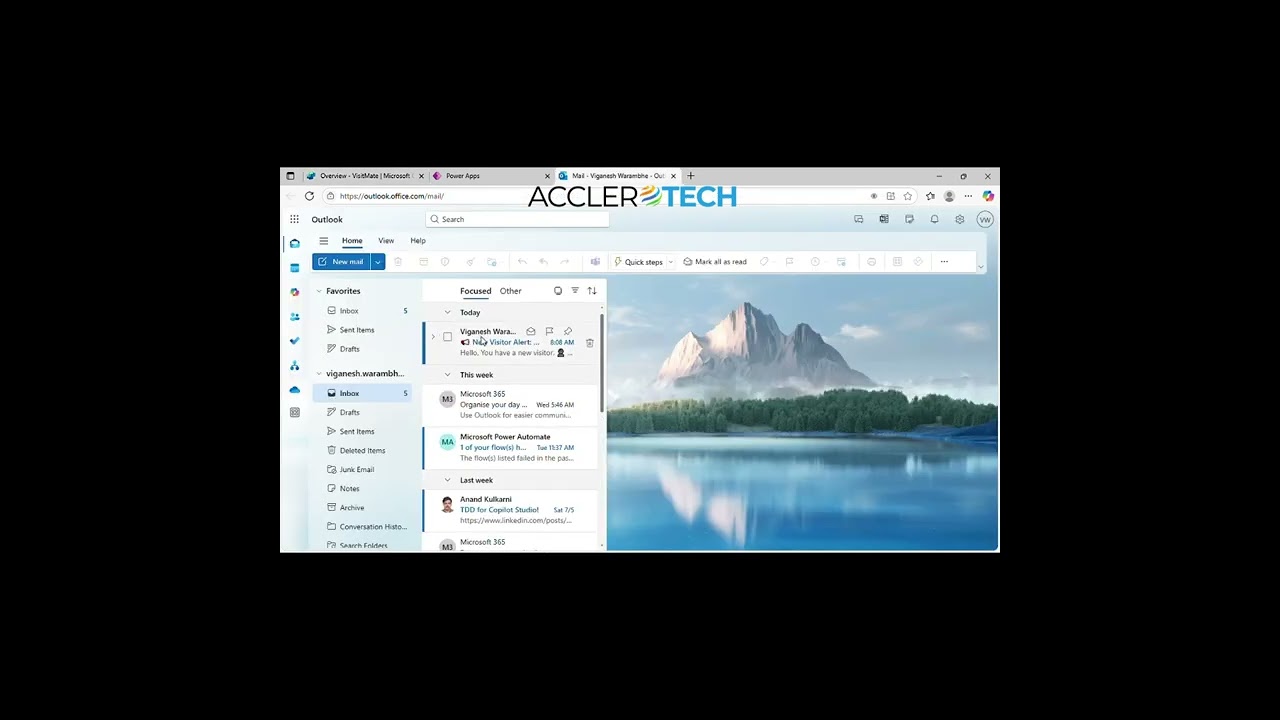
VisitMate Vistor Management Agent Demo Transforming Visitor Management: The VisitMate Copilot Agent by AccleroTech Business Context: Persistent Challenges in Visitor Management Visitor management is a critical yet often overlooked aspect of organizational operations. Across industries—corporate offices, healthcare, education, and government—the ability to efficiently and securely manage visitors directly impacts safety, compliance, and first impressions. Key Issues: Manual processes still dominate, with nearly 80% of businesses relying on paper logbooks or spreadsheets for visitor tracking. This leads to inefficiencies and security vulnerabilities. Security risks are significant. Unauthorized access and poor record-keeping can result in compliance violations and data breaches. Over 60% of organizations now prioritize visitor data protection as a top security concern. Operational inefficiency is rampant. Manual check-ins and host notifications cause delays, lost records, and poor visitor experiences. Studies show that manual processes can cost companies up to 30% of their revenue annually due to errors and inefficiencies. Compliance pressure is increasing. With regulations like GDPR, organizations face hefty fines for mishandling visitor data. Existing SaaS Solutions: Progress and Persistent Problems The global Visitor Management Systems (VMS) market is booming, valued at over $3 billion and projected to double in the next decade. SaaS solutions have replaced paper logs with digital check-ins, QR codes, and cloud-based records. However, several challenges remain: Limited customization: Most SaaS platforms offer rigid workflows, making it hard to adapt to unique organizational needs. Integration issues: Connecting SaaS VMS with legacy systems, calendars, or security platforms often requires complex middleware or APIs, leading to data silos and inconsistent records. Security and reliability: SaaS solutions are vulnerable to credential theft, cyberattacks, and outages. Data privacy and retrievability remain concerns, especially for small and mid-sized enterprises. User experience: Many systems still rely on form-based interactions, lacking conversational intelligence or adaptability for special visitor needs. The Need for Customizable Agentic Solutions Industry analysts highlight a shift toward agentic, AI-powered solutions that deliver measurable business outcomes, trust, and value. Why Agentic Solutions? Conversational intelligence: AI-driven agents can engage visitors in natural language, adapt to unexpected scenarios, and learn from interactions. Organizations implementing conversational AI in reception areas are seeing a 25% increase in customer satisfaction. Custom workflows: Agentic systems allow organizations to tailor check-in flows, notifications, and badge generation to their specific needs. Autonomous operations: These solutions coordinate with building systems and staff, making contextual decisions and reducing manual intervention. VisitMate Vistor Management Agent Demo VisitMate , developed by AccleroTech using Microsoft Copilot Studio, Agent Flows, Outlook, OneDrive, and Dataverse, exemplifies the future of visitor management. How VisitMate Works? Pre-registration: Visitors provide details online, enabling fast, secure check-ins. Automated host notifications: Hosts receive instant alerts via Outlook, eliminating manual calls and missed appointments. Digital badge generation: VisitMate creates professional PDF badges stored in OneDrive, ready for download or printing. Secure data logging: All visitor data is stored in Dataverse for compliance and audit readiness. Conversational interface: The agent greets visitors, collects information, confirms details, and guides them through the process in a friendly, professional manner. Demonstration Highlights Efficiency: Reception wait times are reduced by up to 60%, improving visitor satisfaction. Security: Real-time monitoring and access control prevent unauthorized entry and ensure compliance. Scalability: The solution supports high visitor volumes without bottlenecks or system overload. Paperless operations: All records and badges are digital, supporting sustainability and reducing costs. Benefits and Impact Quantifiable Outcomes: 50% reduction in security incidents after implementing digital visitor management. 30% increase in operational efficiency due to automation and streamlined workflows. 25% higher customer satisfaction with conversational AI-powered check-ins. Compliance assurance: Automated data handling reduces risk of fines and audit failures. Industry Trends: The market is shifting toward AI-powered, customizable, and agentic solutions that integrate seamlessly with existing ecosystems, support sustainability, and deliver real-time analytics. VisitMate Vistor Management Agent Demo, gives a glimpse in this AI-powered future. About AccleroTech AccleroTech is an AI-First, Remote-First, Microsoft Power Platform Digital Solutions & Services company, dedicated to accelerating productivity for global businesses with cutting-edge AI solutions. We empower remote-first engineers to become AI-first Power Platform specialists, delivering innovative solutions across industries using the world’s leading low-code, no-code platform. AccleroTech’s strategic focus includes AI-driven automation, conversational agents, business intelligence, and rapid solution development using a reuse-first methodology. Contact us at info@acclerotech.com to avail of our agentic solutions! References Vizitor Blog: Why Every Organization Needs a Visitor Management System Eptura Blog: Why Cloud-Based SaaS Visitor Management Wins Over In-House Solutions Forbes Technology Council: Drawbacks to Using SaaS Gartner Magic Quadrant for Digital Experience Services GetMonetizely: How Agentic AI is Revolutionizing Visitor Management Systems
- BPO Reimagined
BPO Reimagined From ‘Outsourced’ to ‘AI-First’ – The Future of BPO Reimagined The BPO industry is moving from a paradigm of outsourced manpower to one of augmented intelligence . In this future, BPO firms won’t just add value by providing labor at scale, but by providing intelligence at scale – a symbiotic blend of AI-driven automation and skilled human insight. Those that embrace this model are already reaping benefits: faster service delivery, higher client satisfaction, and new business models that command better margins. Those that delay risk falling behind as clients turn to more innovative partners. Microsoft’s Copilot Studio and Power Platform offer a powerful vehicle to drive this change, enabling BPO providers to quickly build AI agents, automate processes, and empower their non-IT staff to take part in continuous innovation. The technology has matured to a point where the question for BPO leaders is no longer “ Should we use AI and low-code?” but rather “ How fast can we scale it across our organization? ”. With AccleroTech as your partner, that journey becomes faster, smoother, and outcome-focused. We help you transform your people and processes to fully leverage these tools – from initial training sessions and pilot projects to enterprise-wide rollouts. The result is a BPO operation that is more agile, high-tech, and aligned with the evolving needs of your customers. AI is Reshaping the BPO Industry – Is Your Firm Ready? Business Process Outsourcing (BPO) firms are at an inflection point. Long valued for cost-efficient handling of high-volume routine work, BPO providers now face a disruptive force from within: Artificial Intelligence. Modern AI can handle tasks once thought too complex for automation – from understanding unstructured documents to conversing with customers – with speed and accuracy that often surpass human benchmarks. The result? Forward-thinking BPOs are disrupting themselves before someone else does, using AI to reimagine services and unlock new value for their customers. Consider the industry trajectory: the global BPO market surpassed $300 billion in 2024 and is forecasted to reach new heights by 2030. But the way to that growth is changing. In recent surveys, 78% of BPO companies accelerated digital transformation during the pandemic, and 65% plan to increase investments in AI and automation in the next two years . It’s no surprise – AI promises faster turnaround, higher accuracy, and better customer experiences. For instance, one global outsourcing leader’s deployment of generative AI led to a 25% reduction in call handling time and a 20% cut in email response time , while boosting sales conversions by 35%. They expect to automate 20–30% of processes within three years , freeing up teams to focus on higher-value work. BPO firms embracing such changes are not eliminating the human element; they are elevating it. By letting AI handle the drudgery – data entry, basic customer queries, invoice processing, etc. – providers can deliver services faster and more consistently, with humans stepping in for judgment-intensive or personalized interactions. The message is clear: AI isn’t just a tech upgrade for BPOs; it’s a strategic imperative to stay competitive. From Repetitive Tasks to Intelligent Processes Traditional BPO services often involve armies of associates executing defined processes or responding to customer issues. This labor-intensive model is being upended by AI-driven automation. Today’s AI – especially generative AI and advanced machine learning – can read documents, draft responses, analyze data, and even make decisions within set parameters. Routine inquiries that once required a call center agent can now be handled by an AI copilot through chat or voice, 24/7 and in any language. Repetitive back-office tasks (think invoice matching or form processing) can be done in seconds by AI, without human error. BPO Reimagined - From Process Workers to AI Builders Real-world examples are everywhere. Customer service bots built on modern AI are already achieving high resolution rates, sometimes handling 80% of customer inquiries without human escalation – a dramatic leap in efficiency and consistency of service. In one case, a BPO provider’s AI-assisted agent improved customer satisfaction scores significantly by providing instant, context-aware answers. In another, an outsourcing firm integrated AI voice agents for collections calls and saw a tangible uptick in successful contacts and compliance adherence. On the back-office side, companies have deployed AI to reconcile thousands of records or audit documents overnight, tasks that used to consume teams for days. It’s not about isolated gains; it’s a cumulative effect across processes. Studies find that automation tools have cut process cycle times by over 30% in more than three-quarters of BPO organizations, and over 59% of firms expect cost reductions exceeding 20% within two years of these AI-driven transformations. Each percentage point of improvement can translate to millions saved or earned – value that BPOs are keen to pass on to their clients to stay ahead. Why Microsoft Power Platform and Copilot Studio Lead the Way Amid this AI wave, BPO firms must choose the right tools to ride it. Microsoft’s Power Platform together with the new Copilot Studio have emerged as game-changers – arguably the best technology stack for BPOs to unlock AI’s value quickly and securely. Why? They combine advanced AI capabilities with low-code ease of use , enabling organizations to infuse AI into their processes without starting from scratch or hiring an army of data scientists. Power Platform (which includes Power Automate, Power Apps, Power BI, and more) is a unified low-code platform that lets BPO teams automate workflows, build custom apps, analyze data, and even create chatbots rapidly. It comes with hundreds of built-in connectors for enterprise systems (from SAP and Oracle to legacy databases), which is crucial for BPO use cases that often span multiple client systems. With Power Automate, for example, a BPO can set up an RPA (Robotic Process Automation) bot to interact with an old finance system just like a human would – but far faster. Pair that with AI Builder (part of Power Platform) and you can have AI read invoices, extract key details, or classify emails automatically. Power Platform’s impact is proven: companies using it have reported massive efficiency gains – one organization built 300+ low-code solutions saving ~$75 million annually , and another saved over 30,000 hours per year by automating routine tasks. For a BPO, these numbers can translate directly to more throughput and better margins. Microsoft Copilot Studio is the latest addition that specifically targets the creation of AI-driven agents or “copilots.” Think of it as a design studio for generative AI solutions: it allows you to craft conversational AI agents, powered by large language models, that can understand natural language, consult relevant data, and perform actions – all in a guided, low-code environment. Essentially, Copilot Studio lets a BPO create its own AI assistants for various processes. For example, a firm can build a custom service agent that pulls from a client’s knowledge base to answer customer questions accurately, or an internal process copilot that employees can query for guidance on complex workflow steps. Critically, these copilots can be securely extended with enterprise data : unlike generic AI chatbots, a Copilot Studio agent can be wired into proprietary databases or SharePoint files (with proper permissions), so it truly becomes an expert on the client’s processes and policies. All of this is achieved with a graphical interface and pre-built AI components – far easier than coding an AI solution from the ground up. One Fortune 500 travel company used Copilot Studio to create a customer service bot that now handles thousands of conversations per week , resolving issues that previously required live agents. A European bank built two Copilot Studio agents (“Anna” for customers and “Abby” for employees) and saw immediate improvements: higher customer satisfaction scores, more accurate intent recognition, and a faster time-to-market for new service features, according to their leadership. The bottom line: Power Platform and Copilot Studio empower BPOs to deploy AI faster, integrate it deeply into their offerings, and do so with the confidence of Microsoft’s enterprise-grade security and reliability. Fusion leads to the Future Another advantage of adopting these Microsoft tools is how well they support a “fusion team” approach to solution-building. In a BPO setting, you want your process experts (operations managers, team leads, even front-line associates) working together with IT or technical experts to build the optimal solution. Power Platform & Coplot Studio are designed for this kind of collaboration between business “citizen developers” and professional developers. The business experts can use the intuitive interfaces to assemble flows or bot dialogs, and pro developers can extend them with code or complex integrations when needed. This means your AI and automation solutions precisely fit the real-world process nuances, because they’re literally co-created by the people who know the work best. It’s a recipe for impactful transformation with less rework and higher adoption. Empowering BPO Teams to Become Citizen Developers of AI Perhaps the most profound shift in this AI-driven BPO evolution is the change in roles and skills. The traditional BPO workforce – often termed business process associates or agents – now has the opportunity to become citizen developers and AI trainers . Rather than merely executing processes, they can be empowered to build and oversee the automated processes and AI agents. This transformation is not only possible; it’s already underway in many organizations. Gartner forecasts that by 2026, 80% of low-code development users will be outside of IT departments . In BPOs, that trend is echoed by the fact that 58% of providers have instituted digital upskilling programs for employees, aiming to give their staff the tools to innovate. Why turn BPO staff into citizen developers? Because they have invaluable domain knowledge. They know the pain points customers voice every day, the common exceptions that derail a transaction, the 10-step process to verify a claim. When these employees are trained on tools like Power Platform and Copilot Studio, they can directly translate that knowledge into improvements: building a quick app to track an exception, or designing a chatbot conversation flow that saves a customer from having to call in. It also fosters a culture of innovation and continuous improvement. Instead of waiting for an IT project from the client or a top-down technology deployment, teams on the ground can proactively create solutions and test ideas. This agility is crucial as BPO clients now expect their partners to be not just cost-efficient, but also innovation partners that add value. Take the example of a finance-process BPO team: after being trained in Power Platform, a few team members built an AI-assisted validation tool that cross-checks expense reports against policy and flags only the truly exceptions to managers. This reduced manual effort by 70% and impressed the client so much that the BPO won additional business. In another case, call center agents were encouraged to suggest automation ideas; within weeks they helped create a Power Automate bot that gathers all relevant customer info from five different systems before an agent even answers the phone, saving each agent several minutes per call. These are real, tangible outcomes from citizen development. Of course, moving a workforce up the value chain requires training, mentoring, and support . Employees may initially fear that AI will replace their jobs, but with the right approach, they see that AI is an assistant that can make their jobs more interesting. BPO leaders should invest in comprehensive training programs and incentives for employees to gain skills in these new tools. Many firms start with “hackathons” or innovation days, where teams build simple apps or bots to solve everyday annoyances – this sparks enthusiasm and shows what’s possible. Over time, a formal Center of Excellence can help govern and spread successful solutions across the organization. The payoff is huge: companies report greater employee satisfaction and retention when staff feel they’re learning cutting-edge skills rather than performing repetitive tasks. More importantly, the organization builds a sustainable engine for continuous improvement, driven by its own people. AccleroTech: Your Partner in the AI & Low-Code Journey Implementing AI solutions and cultivating citizen developers in a BPO environment is a journey – one that AccleroTech specializes in accelerating. AccleroTech is a Microsoft-aligned consulting and solutions firm that has helped numerous organizations ride this wave of AI and low-code transformation, with a focus on service-centric business processes . Why should leading BPO firms choose AccleroTech as their partner? AI-First, Low-Code-First Expertise: AccleroTech was founded on the principle of combining AI with low-code to solve business problems quickly. Our teams dive into new technologies like Microsoft’s Copilot Studio as soon as they emerge, so we can bring the latest capabilities to our clients. Whether it’s integrating Azure OpenAI services into a custom workflow or designing an intelligent chatbot from scratch, we have the know-how to make it happen fast and make it work at scale. Lean Teams, Quick Results: We pride ourselves on being nimble. In one client engagement, our five-member team delivered in just 8 weeks what a previous vendor quoted a 15-person team and 6 months to accomplish – and we even exceeded the original scope. For BPO clients, this agility means faster ROI and the ability to impress your customers sooner. We start by identifying high-impact use cases (for example, automating a claims intake process or augmenting the helpdesk with a copilot agent) and rapidly deliver a pilot solution. Success is then scaled across other processes in a structured, iterative manner. This approach has repeatedly saved clients time and millions in costs through efficiency gains. Empowerment Over Dependency: AccleroTech’ DOES NOT WANT to develop a one-off solution and then stick around billing indefinitely. Instead, we differentiate by upskilling your team every step of the way. As we implement, we conduct hands-on trainings, pair your staff with our solution architects, and establish best practices like governance councils or Centers of Excellence. Your employees learn to fish – building confidence in using Power Platform components, crafting their own bots, and maintaining solutions post-deployment. By project’s end, you don’t just get a new AI tool – you gain a self-sufficient citizen development capability within your organization. This empowerment mindset ensures the improvements continue long after our consultants have finished the project. Holistic Support – From Strategy to Execution: If you’re earlier in the journey, we can help craft your automation and AI roadmap: Which processes to tackle first? How to align initiatives with business KPIs? We’ll identify the quick wins and the long-term plays. Our team then assists in execution – everything from solution design, development, testing, to change management and user training. And thanks to our Pro Developer assistance , even highly complex integrations or custom code needs are handled. (For example, if you need a custom connector built for a legacy system or want to embed a predictive AI model into a workflow, our Pro Devs collaborate seamlessly with the low-code solutions.) The result is enterprise-grade solutions that incorporate both off-the-shelf power and bespoke development where it’s needed. In short, AccleroTech helps BPOs become AI-enabled organizations at every level: technology, process, and people. We understand the outsourcing industry’s demands for reliability, security, and scalability, and we leverage the Microsoft ecosystem to meet those demands. Our track record includes transforming contact centers with Copilot agents, streamlining finance & accounting BPO operations with automated workflows, and guiding teams to build their own apps that saved thousands of person-hours. We measure our success by your success – efficiency gains, new revenue opportunities, and a workforce that’s happier and future-ready. Interested in Reimagining BPO? Contact us at info@acclerotech.com
- AccleroTech Obligations (3Os) : Outcome‑Driven, Output‑Based Ownership
AccleroTech Obligations (3Os) Enterprise IT leaders today are under pressure to deliver more—faster, smarter, and with measurable ROI. AccleroTech’s 3 Obligations (3Os) model is built to meet that challenge head-on. It’s not just a delivery framework—it’s a commitment to outcomes, flexibility, and accountability. Here’s how we do it. What AccleroTech does for Enterprise Customers? AccleroTech is a Power Platform-first solutions partner helping enterprises: Establish and scale Power Platform Centers of Excellence (CoE) Build full-stack solutions across Power Apps, Power Automate, Power BI, Power Pages, and Copilot Integrate with legacy systems to extend value, not replace it Accelerate delivery using AI-powered development and reusable components Train and enable both pro and citizen developers We combine Microsoft’s Well-Architected Framework with an AI-First, Remote-First, Reuse-First approach—delivering enterprise-grade solutions at speed and scale. The 3 Obligations (3Os) of AccleroTech ✅ Outcome-Driven Billing – Pay for measurable business results ✅ Output-Based Billing – Pay for actual deliverables, flexibly ✅ Owning-Solutions – 12-month warranty on all delivered work Let’s break them down. 1. Outcome‑Driven Billing: ROI You Can Measure We don’t just deliver software—we deliver business outcomes. With Outcome-Driven Billing, we define ROI levers and success metrics upfront, then align our fees to achieving them. 📊 Sample 3-Year ROI Model: $146M in benefits vs. $41M in costs 224% ROI | Payback in <6 months Value levers: time savings, cost reduction, revenue acceleration, IT efficiency 💡 Example: An AI-powered automation replaced manual service desk interactions, reducing average handling time by 70%. The result? Millions saved in support costs, faster customer response times, and a measurable boost in satisfaction scores. We committed to these outcomes upfront—and delivered. Outcome-Driven Billing is ideal for: Enterprise-wide Power Platform rollouts Strategic automation programs AI-led transformation initiatives You pay for success, not just effort. 2. Output‑Based Billing: Flexi-Hours with Unit-Based Clarity Not every initiative needs a full-scale ROI model. Sometimes, you just need to get things done—quickly, efficiently, and without the overhead of hiring multiple specialists. That’s where Output-Based Billing comes in. We offer a flexible, pooled-hours model that lets you consume capacity across Power Platform sub-technologies—Power Apps, Power BI, Power Automate, Azure, and more—without locking into fixed roles or rigid scopes. 🎯 Every deliverable is mapped to a clear unit of effort, so every dollar is accounted for. 📦 Example Unit Effort Guide: Deliverable Type Typical Unit Effort Simple Power App (2-3 screens, CRUD) 40–60 hours Medium Power BI Dashboard (5–6 visuals, 2 data sources) 50–70 hours Complex Power Automate Cloud Flow (multi-branch logic, approvals, connectors) 60–90 hours Power Platform CoE Maintenance (based on 100 apps & 500 users) 50–100 hours/month This model ensures: Transparent pricing per output Flexibility to shift priorities week-to-week No idle billing or underutilized roles We provide predictable costs with volume discount packages (and some extra effort for free). Such packages may look as follows Package Term Monthly Hours Blended Rate Base 1 yr 1,500 (+5%) $X/hour (X is an economical rate considering Full-Stack Well-Architected Power Platform Bandwidth) Standard 3 yr 2,500 (+10%) $Y/hour (Y = 20% Discount over X) Premium 5 yr 3,500 (+15%) $Z/hour (Z = 35% Discount over X) 💡 Example: One month, you might need a Power BI dashboard and a few flows. Next month, it’s CoE governance and a new Power App. With Output-Based Billing, you’re covered—no renegotiations, no delays, just delivery. Output-Based Billing is ideal for: Agile backlogs Enhancements and support Multi-skill development needs 3. Owning-Solutions: 12-Month Warranty & Quality You Can Trust We don’t walk away after go-live. Every solution we deliver comes with a 12-month warranty—because we believe in what we build. 🔒 What’s Covered: Bugs or defects in delivered functionality Performance issues within scope Security or compliance gaps in delivered components 🚫 What’s Not Covered: New features or enhancements Changes in business logic or third-party systems 💡 Example: A Power App we delivered began slowing down due to unexpected data growth. We optimized performance under warranty—no questions asked. That’s what owning the solution means! Owning-Solutions is ideal for: Business-critical apps and automations Enterprise-grade deployments IT leaders who want peace of mind Why are we so confident of our solutions? Because we follow Microsoft’s Well-Architected Framework to ensure: Secure, scalable, and maintainable solutions Reusable components that reduce risk Proactive monitoring and support Smooth handover and knowledge transfer AccleroTech Obligations (3Os) : Outcome‑Driven, Output‑Based Ownership Why are we committing to it? Because every enterprise IT leader not only demands but deserves 📈 ROI-backed transformation 🔄 Commercial flexibility 🛡️ Long-term confidence in solution quality We don’t just build apps—we build trust, outcomes, and partnerships. About AccleroTech AccleroTech is an AI-First, Remote-First, Reuse-First technology company focused exclusively on the Microsoft Power Platform. We help enterprises accelerate productivity through low-code innovation, with deep expertise in governance, full-stack development, and AI-powered automation. 📩 Ready to accelerate outcomes with AccleroTech’s 3Os model? Let’s talk about AccleroTech Obligations (3Os) : Outcome‑Driven, Output‑Based Ownership —reach out to us at info@acclerotech.com and let’s build something impactful together.
- AI‑First Career for Manual Testers
AI‑First Career for Manual Testers TL;DR Manual testing roles down ~18% in 2025 ; forecast another 20–25% drop by 2026 end . Power Platform roles up 40–50% YoY in 2025 ; Copilot Studio roles forecast 10× growth by 2026 end . Manual Testers can navigate a career switch now : Build low-code + AI agent skills, earn Microsoft credentials , and take guidance from AccleroTech as well as join communities like PowerStackers for mentorship and job readiness! To know more, email us here learning@acclerotech.com Job Trends in 2025: Manual Testers vs Power Platform & Copilot Engineers Manual Tester Roles (2025 Snapshot) Global postings: Approx. 32,000 active listings for manual testers worldwide in 2025, down 18% YoY as automation and AI adoption accelerate. India postings: Around 3,200 live jobs for manual testers in October 2025, concentrated in BFSI, healthcare, and ERP domains. Trend: Decline driven by 44% of companies automating >50% of their testing and AI tools reducing repetitive manual work. "Manual testing isn’t dying—it’s transforming. But pure manual execution roles are shrinking fast.” — Stefan Gogoll, QA Thought Leader. Power Platform & Copilot Engineer Roles (2025 Snapshot) Global postings: Over 120,000 active jobs for Power Platform professionals, with demand growing 3–6× faster than supply . India postings: Estimated 12,000+ openings for Power Platform developers, consultants, and architects in 2025 across IT services and captive centers. Copilot Studio roles: Emerging but visible—hundreds of listings for Copilot Studio Engineer and AI Solutions Developer roles in enterprise automation teams. “Demand for Power Platform engineers is 3 to 6 times the supply, and growing 700% annually.” — Antal International & Powerzoom Career Note. Market Trends: Why Manual‑Only Demand Is Declining While Power Platform & Copilot Engineering Is Increasing Agentic AI reduces repetitive manual work. AI agents can execute UI tasks, summarize defects, and pre‑fill evidence—shrinking the need for large manual regression teams and moving testing effort to risk‑based design, automation, and governance . Low‑code becomes mainstream in new development. Analyst forecasts indicate that by 2026 , ~75% of new application development will be built on low‑code platforms , accelerating demand for Power Platform makers, consultants, and architects . IDC estimates low‑/no‑code & intelligent developer tech revenues to reach $21B by 2026 at ~17.8% CAGR . Hyper automation spending rises. Gartner’s market maps and predictions show double‑digit CAGR through 2028 for process‑agnostic hyper automation software; enterprises broaden usage of RPA + AI + workflow orchestration—exactly the stack Power Automate + AI Builder + Copilot Studio delivers. Workforce expectations shift to AI fluency. Microsoft’s Work Trend Index analyses report 68% of workers overwhelmed by pace/volume, 46% reporting burnout, and 82% of leaders planning AI agents —fueling investments in Copilot & agent platforms rather than expanding manual execution teams. What 2026 Looks Like: Forecasts & Numbers Manual Tester Roles (2026 Outlook) Forecast: Global manual tester postings expected to drop another 20–25% , settling near 24,000 listings worldwide . India: Likely to fall below 2,500 active postings , mostly hybrid QA roles requiring automation + platform skills . Reason: AI-driven test automation platforms and CI/CD integration will make repetitive manual execution obsolete. Power Platform & Copilot Engineer Roles (2026 Outlook) Forecast: Power Platform jobs: Expected to grow 40–50% YoY , crossing 170,000+ global postings by end of 2026. Copilot Studio roles: Projected 10× growth as multi-agent orchestration and enterprise copilots become standard—thousands of dedicated roles globally. Driver: Gartner predicts 75% of new app development will be low-code by 2026 , and IDC forecasts LCNC market revenue hitting $21B by 2026 . “By 2026, 80% of low-code tool users will be outside IT departments, creating massive demand for skilled Power Platform engineers.” — Gartner. India Salary & Demand Signals Power Apps Developer (India): median offers commonly reported around ₹9–12 LPA , with city and client variations. Power Platform skill tags across verified profiles: averages around ₹20–24 LPA (role mix varies—developer, consultant, architect). Systems integrators and captives: frequent openings for Power Apps/Automate/Copilot with ₹4–13 LPA ranges for entry–mid roles; senior consultant/architect roles attract higher packages. Why This Matters to Manual Testers wanting to make a career? Manual testers face shrinking demand for execution-only roles. Power Platform + Copilot Studio engineers will be core to enterprise AI-first automation strategies . The skills gap means career switchers can command premium salaries and future-proof roles . In short, it is imperative to consider an AI-First Career of Manual Testers! Why is a Manual Tester suited to switch to Power Platform/Copilot Engineer? Your experience is valuable—test design, exploratory instincts, defect triage and risk sense are critical—but the role is changing. To protect your trajectory (and raise your ceiling), bolt on automation + low-code + Copilot. Here are 3 examples as to how a manual tester (armed with Power Platform and Copilot learning) is useful to the Hiring Manager “Defect Intake Copilot” Problem: Noisy defect reports, slow triage. Solution: Engineers with manual testing background are most suited to build a Copilot Studio bot grounded on project QA wiki + Azure DevOps; routes issues and kicks off Power Automate flows. Example Outcome: Median triage time ↓ 35%; duplicate defects ↓ 20%. “Test Data Factory” Problem: Test runs blocked by seed-data delays. Solution: Manual testers who have experience in collating seed data can build Canvas app + Dataverse schema + desktop flows to generate data packages; one-click reset. Example Outcome: Setup time ↓ from 45m to 5m; reruns ↑ per day. “Release Readiness Dashboard” Problem: Fragmented QA signals. Solution: Manual testers with Power Platform skills can create Power BI + Dataverse ingest of pipeline/test telemetry; risk score surfaced in Teams; DLP-compliant connectors. Example Outcome: Missed regressions ↓; stakeholder sign-off time ↓. AccleroTech suggests a focused 12-week plan to embark on the AI-First Career of Manual Testers Week Objective Topics Hands-on Labs 1 Understand Power Platform fundamentals Overview of Power Apps, Power Automate, Dataverse, AI Builder, Copilot Studio Explore Power Platform components 2 Learn Dataverse basics Tables, columns, relationships, security roles Create a Dataverse table and apply security 3 Build your first Canvas app Canvas app design, Power Fx basics Create a Canvas app connected to Dataverse 4 Explore Model-driven apps Model-driven app architecture, forms, views Build a Model-driven app with Dataverse 5 Automate workflows with Power Automate Cloud flows, triggers, actions Create an approval flow integrated with Teams 6 Learn Power Automate Desktop (RPA) Desktop flows, UI automation Automate a legacy app using PAD 7 Integrate AI Builder AI models for document processing Build an invoice processing flow using AI Builder 8 Create Copilot Studio agents Topics, entities, actions, publishing Build a Copilot agent and connect to Teams 9 Apply governance & security DLP policies, environment strategy Configure DLP and environment settings 10 Learn ALM & solution management Solutions, pipelines, Power Platform CLI Export/import solutions and set up pipelines 11 Build dashboards with Power BI Connect Power BI to Dataverse Create a QA dashboard for test metrics 12 Validate skills & publish portfolio Review Applied Skills credentials Complete Applied Skills labs for Canvas App & Copilot Studio How AccleroTech helps? AccleroTech is uniquely positioned to be a guide for AI-First Career of Manual Testers , because of its deep ecosystem partnerships and community leadership: Microsoft AI Cloud Partner Status: AccleroTech is a recognized Microsoft AI Cloud Partner, giving us direct access to the latest AI-first technologies, best practices, and enterprise-grade solutions. Early Access Program Participant: We are part of Microsoft’s exclusive early access programs for Copilot Studio and Power Platform innovations—so our learners experience cutting-edge features before they hit general availability. Startup Founders Hub Selection: AccleroTech is chosen for Microsoft’s Startup Founders Hub , enabling us to leverage advanced resources, credits, and technical mentorship to build world-class learning experiences. Conveners of PowerStackers Community: We lead PowerStackers , a Microsoft Power Platform user group dedicated to helping professionals become full-stack Power Platform engineers . This community offers hackathons, mentorship, and job-readiness sprints. Commitment to Remote AI-First Careers: Our mission is to empower remote-first Power Platform engineers through specialized training tracks , portfolio-building projects , and Microsoft Applied Skills credentials —all aligned with real-world job descriptions. Your Next Step Ready to accelerate your career switch from Manual Testing to Power Platform & Copilot Engineering ? Email us at: learning@acclerotech.com Subject: Career Switch – Manual Tester
- Join us for AI-First x Remote-First x Power Platform Career as PowerStacker!
AI-First x Remote-First x Power Platform = High value, powered by Diverse Team! The 2023 Emerging Technology Survey reveals that around 73% of US companies have already adopted AI for some of their business functions. A 2024 PWC report says that, AI is expected to contribute $15.7 trillion to the global economy by 2030, more than the current output of China and India combined. In short, AI-First Digital Engineering has arrived! According to the FlexJob Career Pulse Survey, 65% of respondents want to work remotely full-time. In addition, work-life balance causes conflict for an astonishing 72% of women (who would prefer to work remotely for greater control of their time and better work-life balance). So, Remote-first is here to stay! We at Acclero Technologies are committed to enable Remote-First Digital Talent with AI-First Digital work. In this endeavor, we have partnered with Microsoft and leveraging the ubiquitous, revolutionary technology "Microsoft Power Platform". We leverage the Microsoft Power Platform Copilots to remotely identify and mentor Associates irrespective of gender and location (of course one needs a robust internet and good laptop). We enable our Diverse Associates to emerge as AI-First engineers through expertise in AI Builder and the complete stack in Power Platform. We proudly publish the solution components built by our associates and ultimately provide an economic yet cutting edge, high value proposition for our esteemed customers. There are 100+ such components. We are wholeheartedly committed to empower Remote-First Talent and help them build AI-First Career! Want to join us? Here is how Remote-First job seekers can start building AI-First Career with Us - by joining us as a PowerStacker in 3 easy steps... 1. Take AI Engineer Skill Assessment Microsoft provides a free assessment of your AI Engineering Skills, that takes 45 minutes. The first step to become a Full-Stack, Well-Architected PowerStacker - is to attempt this and save screenshot of results. Take the test here 2. Fill AI-First, Remote-First Profiler This is a simple questionnaire, that takes 30-45 minutes of time to fill-up Enter your details, Assessment Score, AI-First Remote-First aspirations and submit. Click on the link AI Profiler Form and fill it up 3. Share Assessment Results with AccleroTech Share your AI Engineer Skill Assessment results screenshot with us, on email at training@acclerotech.com That's it!
- Feature Explosion in Power Platform
Feature Explosion in Power Platform The Microsoft Power Platform's evolution mirrors a "Cambrian Explosion"—a period of unprecedented diversification and rapid emergence of new capabilities. Each release wave introduces a vast array of features, connectors, and enhancements, accelerating the platform's utility and transforming how organizations build solutions. Microsoft Power Platform Evolution Acceleration Microsoft Power Platform is a suite of low-code and no-code tools – Power BI (for business analytics), Power Apps (for app development), Power Automate (for workflow/RPA automation), Power Virtual Agents (for chatbots), and more – that enable organizations to build applications and automate processes with minimal coding. Officially unified under the “Power Platform” name around 2018–2019, these tools have since rapidly grown in capability and adoption. In 2023, Microsoft added advanced AI integration across the platform in the form of Copilot – an AI assistant that can help create apps, flows, and bots using natural language – and launched Copilot Studio for designing and managing custom AI chatbots within Power Platform. These technologies are critical in today’s enterprise landscape because they address a major challenge: the demand for digital solutions far exceeds the supply of traditional developers . It’s estimated that hundreds of millions of new apps will be needed in the next few years, but organizations struggle to hire enough developers. Power Platform helps close this gap by enabling “citizen developers” (business users with no coding background) to create solutions, while also empowering professional developers to deliver more, faster. In effect, it democratizes software development . By late 2019, there were already over 3 million monthly active developers building on Power Platform – a mix of citizen makers and partners – and usage was skyrocketing (Power Platform usage grew 300% year-over-year at that time). Fast forward to 2023, and the community had more than 7.4 million monthly active developers on Power Platform. This explosive growth reflects how indispensable low-code tools have become for enterprises to do more with less. Equally important is the infusion of AI capabilities . With Copilot (powered by Azure OpenAI Service), Microsoft made it possible in 2023 for a user to simply describe the app or workflow they need in plain English and have the platform generate it. Similarly, end-users can interact with data or trigger processes by chatting with an AI bot. This brings the power of generative AI into everyday business scenarios – something that was essentially science fiction a few years ago. Low-Code Boom Meets AI Revolution For instance, a customer service agent can offload routine inquiries to a Copilot chatbot, or a business analyst can have Copilot build a draft of an app for managing inventory just by typing a request. This combination of low-code and AI is transformative : it not only accelerates development by 5-10x, but also makes advanced capabilities accessible to non-technical users. From an enterprise perspective, Power Platform (with Copilot Studio) offers a two-fold advantage: unprecedented agility in delivering solutions and AI-driven innovation at scale . Business teams can rapidly spin up apps or automations to solve immediate problems (without waiting months for IT), and at the same time embed AI to unlock new value (like predictive insights, natural language interfaces, etc.). For example, a global bank used Power Platform to build over 2500 apps and flows governed by a central team, speeding up solution delivery while maintaining control. Another company, Pacific Gas & Electric, built 300+ solutions on Power Platform that save $75 million per year , and is now adopting generative AI to further enhance their service bots. These outcomes highlight why Power Platform is at the center of many digital transformation strategies. It’s not just about creating apps faster – it’s about enabling a culture where anyone can innovate and equipping that innovation with AI and data at every step. In summary, Microsoft Power Platform (and the new Copilot Studio) are reshaping enterprise software development . They allow organizations to harness their human capital – empowering hundreds of employees outside IT to become creators – and to inject AI into processes for unprecedented efficiency and insight. The rest of this report will dive into the details of this evolution. We will first examine the pace of product updates (Microsoft’s monthly release cadence and how it has accelerated), then break down major new features by year (highlighting how 2024 was a watershed year for AI features). We will then discuss adoption trends – including the growth in users, the balance of citizen vs. pro developers, and how Microsoft’s own internal use of Power Platform demonstrates its scalability. Finally, we’ll outline AccleroTech’ s perspective and approach as a leading partner in this domain, and why an AI-first, agile partner like us can help organizations maximize the value of Power Platform and Copilot in this fast-changing landscape. Feature Explosion in Power Platform One striking aspect of the Power Platform’s evolution is the rapid cadence of updates delivered by Microsoft. To illustrate this change, the table below shows an indicative snapshot of new feature counts and fixes in selected months: Month (Year) Approx. New Features Released Approx. Bug Fixes/Improvements Jan 2019 3–5 ~5 Jan 2020 ~8 ~10 Jan 2021 ~15 ~12 Jan 2022 ~22 ~18 Jan 2023 ~30 ~25 Jan 2024 ~45 ~30 Jun 2024 ~50 ~35 Jun 2025 ~52 ~40 The platform follows a continuous release cycle – new features and improvements roll out on a near-monthly basis. What’s more, the volume of these updates has grown dramatically. In the early days (circa 2018–2019), monthly updates contained relatively few new features (often single-digits) as the products were still maturing. By contrast, in recent years (2022–2025), Microsoft has been shipping dozens of enhancements each month, including major new capabilities, performance improvements, and bug fixes. Microsoft structures its roadmap into biannual “release waves.” Wave 1 covers features planned for April–September, and Wave 2 covers October–March of the next year. Each wave introduces hundreds of new features across Power Platform, which are then gradually released (some as previews, some as general availability) in monthly increments. For example, the 2024 Wave 1 plan (covering the first half of 2024) listed hundreds of features to be delivered – roughly averaging to 40–50 new features per month. Similarly, 2024 Wave 2 (H2 2024) brought another flood of improvements. By the first half of 2025 , this pace continued with on the order of ~50 features released each month. Every monthly update also includes numerous fixes and optimizations. Early on, with fewer users, the platform might have seen maybe 5–10 fixes in a typical month; now it’s common for Microsoft to deploy dozens of bug fixes and performance tweaks each month, reflecting feedback from a greatly expanded user base. In practical terms, Microsoft went from a more periodic update model (few big changes per year) to a truly agile, cloud-first model for Power Platform. In 2019, you might wait for the annual Microsoft Business Applications Summit to hear about major new Power Platform features, whereas by 2023–2024, significant enhancements were landing almost every week. For example, in March 2023, Microsoft rolled out the preview of Copilot in Power Apps/Automate (a huge new AI feature) as part of its monthly update. In May 2023, the monthly update included general availability of those Copilot features, new connectors, improvements to Power BI visuals, and on top of that over 30 fixes addressing stuff like performance and reliability. By mid-2024, a single month’s release could span multiple pages of release notes – including things like new AI models in AI Builder, UI upgrades in Power Apps, added governance controls for admins, and speed improvements in Power Automate – all rolled out together. Enterprises can be confident that if something they need isn’t in Power Platform and Copilot Studio today, there’s a good chance it might appear in the next release wave. This accelerated release cadence is visualized below, which highlights how Microsoft dramatically increased investment in delivering new features after 2020, especially with the push into AI in 2023. The trend reflects both innovation velocity and responsiveness to user feedback. Power Platform Acceleration over years For organizations using Power Platform, this rapid release cycle has two implications. On the positive side, continuous improvement : you constantly get new tools to work with – whether it’s a new AI capability, a new connector to integrate with another system, or a usability improvement. The platform of today is significantly more powerful than that of a year ago, which is more powerful than the year before, and so on. Microsoft’s commitment to iterating quickly means your investment in Power Platform keeps yielding more value over time. On the challenging side, keeping up with change becomes important. With features rolling out so frequently, administrators and Center of Excellence leads need to stay informed (e.g. reading the monthly “What’s New” blog posts, trying preview features in a sandbox) to manage enablement and governance. It’s a trade-off of fast innovation – enterprises must be agile in learning and adopting new features (or pausing ones that aren’t yet right for them). Many organizations address this by establishing a Power Platform CoE that tracks updates and disseminates relevant ones to makers and developers. Overall, Microsoft’s ability to ship improvements continuously has been a boon for Power Platform’s competitiveness. It has allowed the platform to quickly close gaps (for example, adding more advanced ALM features by 2022, after hearing feedback from pro developers) and to leap ahead with new ideas (like bringing GPT-4 into the product in 2023). In closing, the Microsoft Power Platform, enhanced with Copilot AI, is one of the most exciting tools for empowering organizations in the modern era. With the right approach and partner, it can fundamentally transform how work gets done – making solution delivery dramatically faster and unlocking the creativity of your people. AccleroTech is committed to being that right partner, bringing both technical excellence and a collaborative, future-focused approach. Despite this Feature Explosion in Power Platform, we keep you ahead of the curve so you can focus on reaping the benefits: streamlined operations, faster insights, lower costs, and a workforce equipped to innovate every day. If you wish to avail our services to Accelerate Productivity, contact us at info@acclerotech.com
- Better Together: The Synergy of Copilot Studio & Azure AI Foundry
Better Together: The Synergy of Copilot Studio & Azure AI Foundry Pioneering the Future: How AccleroTech Leverages Copilot Studio and Azure AI Foundry for Unmatched Customer Productivity At AccleroTech, we believe our customers shouldn't have to navigate the complex landscape of cutting-edge technology alone. That's why we're committed to rigorous, in-depth research into the latest advancements in AI and digital solutions. Our "AI-First, Remote-First, Reuse-First" philosophy isn't just a mantra; it's a promise that we're constantly exploring and validating the most effective tools and strategies, so you don't have to spend precious time and resources on detailed research. We absorb the complexities, so you can simply reap the benefits of enhanced productivity and accelerated growth. One area where our proactive research truly shines is in the powerful synergy between Microsoft Copilot Studio and Azure AI Foundry . These two platforms, when integrated seamlessly, offer an unparalleled environment for building sophisticated, intelligent agents that can revolutionize business operations. Deep Dive: Copilot Studio and Azure AI Foundry While both platforms are instrumental in building intelligent AI solutions, they cater to different levels of development complexity and provide distinct sets of features. Microsoft Copilot Studio: The Low-Code Powerhouse for Conversational AI Purpose: Microsoft Copilot Studio is an end-to-end conversational AI platform designed to empower both business users and professional developers to create, customize, and manage AI assistants (Copilots) and agents with minimal or no code. Its primary goal is to democratize AI, making it accessible for organizations to integrate intelligent conversational experiences into their workflows across various channels, often leveraging existing Microsoft 365 environments. Key Features: Low-Code/No-Code Development: Intuitive graphical interface and natural language capabilities allow users to build complex conversational flows without extensive coding knowledge. Generative AI Capabilities: Leverages large language models (LLMs) and generative AI for dynamic and context-aware responses. Extensive Connectors: Offers over 1,000 pre-built connectors to integrate with Microsoft services (e.g., Microsoft 365, Teams, Dynamics 365) and third-party applications (e.g., Salesforce, ServiceNow). Multi-Platform Publishing: Easily deploy Copilots to various channels, including websites, mobile apps, Microsoft Teams, and Outlook. Multi-Agent Orchestration: Enables the collaboration of specialized bots to handle complex tasks and workflows. Built-in Analytics: Provides insights into Copilot performance, user interactions, and areas for improvement. Integration with Power Platform: Seamlessly connects with Power Automate for advanced workflow automation and Power BI for data visualization. Azure AI Foundry: The Enterprise-Grade AI Application Factory Purpose: Azure AI Foundry (formerly Azure AI Studio) is a unified, enterprise-grade cloud platform designed for developers, data scientists, and technical teams to build, customize, and manage AI applications and agents at scale. It provides a comprehensive toolchain for the entire AI lifecycle, from model exploration and fine-tuning to secure deployment and continuous monitoring, with a strong emphasis on responsible AI practices and robust governance. Key Features: Comprehensive Model Catalog: Access to a vast catalog of foundation models, open-source models, and industry-specific models (over 1,900), including those from OpenAI, Mistral, and Meta. Robust Model Customization: Supports advanced techniques like fine-tuning, retrieval-augmented generation (RAG), distillation, and prompt orchestration to tailor models to specific business data and use cases. End-to-End AI Lifecycle Management (LLMOps/GenAIOps): Provides tools for experiment tracking, model versioning, monitoring, evaluation, and continuous improvement of AI applications. Enterprise-Grade Security & Governance: Offers advanced security features, role-based access control (RBAC), data encryption, compliance features, and configurable safety filters. Integrated Development Environment: A unified portal for designing, testing, and deploying AI solutions, supporting both code-first and some no-code approaches. Advanced AI Search Integration: Deep integration with Azure AI Search for creating highly configurable and vectorized indexes, essential for grounding models with enterprise data. Scalability and Performance: Built on Azure's robust infrastructure, enabling the deployment of AI solutions at massive scale with high performance. Responsible AI Tooling: Features for assessing and protecting applications with configurable evaluations and safety controls. Copilot Studio vs. Azure AI Foundry: A Comparison To help clarify when to leverage each platform, here's a comparative table: Feature/Aspect Microsoft Copilot Studio Azure AI Foundry Primary Purpose Low-code/no-code creation and management of conversational AI agents (Copilots) and chatbots, especially for Microsoft 365 and Power Platform environments. Enterprise-grade platform for building, customizing, deploying, and managing advanced AI applications and agents, offering deep control over models and infrastructure. Target Audience Business users, citizen developers, Power Platform enthusiasts, and developers seeking rapid deployment. Data scientists, AI/ML engineers, pro-code developers, and technical decision-makers focused on complex, scalable, and custom AI solutions. Development Approach Primarily low-code/no-code with intuitive drag-and-drop interfaces and natural language. Primarily code-first (Python, C#, JavaScript SDKs) for deep customization and control, with some UI elements for model exploration and management. Model Focus Consumption of pre-trained models, generative AI for conversational responses, and integration of custom models via connectors. Extensive model catalog (1900+ models), deep customization (fine-tuning, RAG), model benchmarking, and full lifecycle management of LLMs and other AI models. Data Integration Leverages Power Platform connectors for integrating with various data sources; often focuses on data within Microsoft 365. Connects deeply with Azure data services (e.g., Azure AI Search, Azure Storage) for robust data grounding and indexing; offers more control over data ingestion. Control & Flexibility Higher abstraction, simpler to use, ideal for quick deployment; less granular control over underlying AI models and infrastructure. Higher control over AI models, infrastructure, security, and deployment; offers greater flexibility for highly customized and complex solutions. Deployment Seamless publishing to Microsoft Teams, websites, mobile apps, and other channels. Deployment as real-time endpoints, batch inference jobs, and containerized applications (Azure Container Apps, Azure Kubernetes Service) with robust governance. Cost Model Typically consumption-based, often tied to Power Platform licensing and message packs. Consumption-based on underlying Azure services (e.g., Azure OpenAI tokens, compute, storage, Azure AI Search units). Best Used When - Rapidly building custom chatbots or virtual assistants. - Automating tasks within Microsoft 365 and Power Platform. - Your data and workflows reside primarily in the Microsoft ecosystem. - Prioritizing ease of use and quick time-to-value. - Building highly specialized, enterprise-grade AI applications. - Requiring deep control over AI models, data grounding, and fine-tuning. - Developing multi-agent systems or complex AI workflows. - Prioritizing scalability, security, and responsible AI practices at an industrial level. In essence, if you need the speed and reach into Microsoft 365 with user-friendly interfaces, Copilot Studio is your go-to. But when your workloads demand bespoke AI solutions, extensive organizational data integration, and enterprise-level compliance control, Azure AI Foundry steps in. Often, the most powerful solutions involve leveraging both: Copilot Studio as the polished, user-facing front-end, and Azure AI Foundry as the robust, industrial-strength AI factory behind the scenes. This holistic approach is what we at AccleroTech master to deliver truly transformative results for our clients. Better Together: The Synergy of Copilot Studio & Azure AI Foundry The collaboration between Copilot Studio and Azure AI Foundry is a game-changer, primarily enhancing two critical aspects of AI solutions: models and search . While Copilot Studio provides a robust Software as a Service (SaaS) infrastructure for deploying agents—offering security, scalability, and performance—Azure AI Foundry delivers Platform as a Service (PaaS) capabilities, enabling more specialized and granular control over AI development. This blend allows us to combine Copilot Studio's ease of use with Azure AI Foundry's advanced capabilities. Here’s a deeper look into how this integration empowers our solutions: 1. Elevating Search with Azure AI Search Integration For an AI agent to be truly effective, it needs to access and understand vast amounts of information quickly and accurately. This is where Azure AI Search, a core component of Azure AI Foundry, becomes indispensable. Vectorized Indexes: Azure AI Search allows us to deploy and create vectorized indexes of your organizational data. This means information is stored in a way that makes it highly searchable and retrievable by AI models. Configurable Knowledge Source: This powerful search infrastructure can be directly linked to Copilot Studio through its user interface. This integration provides highly configurable search capabilities for your agents, ensuring they can access the most relevant information. Enhanced Data Control: We gain greater control over data ingestion, including the choice of embedding models and chunk size. This is particularly beneficial when your data isn't in standard locations or requires specific parsing. For example, an IT agent built with this integration can retrieve information from indexed PDFs, even extracting details from images within documents using multimodal RAG (Retrieval Augmented Generation). This ensures your agents are not just answering questions, but providing precise, context-rich responses. 2. Bringing Your Own Models from Azure AI Foundry for Superior Responses While Copilot Studio offers a range of managed models, the real power for bespoke business solutions comes from its flexibility in integrating "bring your own models" from Azure AI Foundry. Azure AI Foundry provides access to over 1,900 models, allowing us to deploy and fine-tune models with your specific business data. Specialized Response Generation: We can connect a fine-tuned model from Azure AI Foundry directly to Copilot Studio for response generation. This means your agents can leverage specialized models for improved performance and deliver more concise, context-aware answers, leading to a superior user experience. Imagine an IT assistant that not only answers questions but provides solutions tailored to your unique infrastructure. Prompt Builder for Precision: Copilot Studio's prompt builder allows us to seamlessly integrate Azure AI Foundry models. This feature enables us to define how prompts should be structured using natural language, working with various input types like text, images, and documents. We can control the output structure and select specific models (e.g., Fi-54, Mistral, Grok) based on your exact business use case, ensuring the AI behaves exactly as intended. Beyond the Core: Additional Integrations and Real-World Impact The synergy extends further, with capabilities such as: Multi-Agent Orchestration: Within Copilot Studio, multiple agents can work together, handling complex workflows and directing queries to the most appropriate sub-agents. Model Context Protocol (MCP): Fully integrated into Copilot Studio, MCP enables tool discovery and programmatic control, allowing for sophisticated agent behaviors. Agents 365 Toolkit and SDK: For our pro-code developers, this toolkit provides code-first approaches to connect to models and Foundry infrastructure, complete with VS Code plugins, ensuring we can build highly customized solutions. A fantastic example of this combined power in action is CSX's Chessie Agent . This AI agent, built using Copilot Studio and Foundry, handles frequent customer questions, creates and reviews shipment cases, and performs track and trace functions, accessible 24/7 on their customer-facing website. This solution not only offers immense cost-efficiency but also provides continuous improvement through insights gained from user interactions. Its architecture, involving a supervisor agent directing queries to various sub-agents and integrating with systems like Salesforce, showcases the real-world impact that can be achieved with these technologies. At AccleroTech, we are dedicated to bringing these advanced capabilities to your business. By understanding and mastering these cutting-edge integrations, we empower you to accelerate productivity, optimize capital leverage, and ultimately, accelerate your growth. Want to know more about how these technologies are Better Together and want to make most of the Synergy of Copilot Studio & Azure AI Foundry ? Contact us at info@acclerotech.com
- AccleroTech as preferred Power Platform Adoption Partner
AccleroTech as preferred Power Platform Adoption Partner AccleroTech is a pioneering AI-First, Remote-First software solutions company that has made it our mission to “Accelerate Productivity” for businesses using modern cloud platforms like Microsoft Power Platform. In this blog, we will explore why you should consider AccleroTech as preferred Power Platform Adoption Partner? We are founded in the era of AI and cloud, which means we aren’t burdened by legacy approaches – instead, we have a startup agility with deep expertise in the newest technologies . Our philosophy is that a partner’s value in the Microsoft Power Platform Adoption space comes not from decades of conventional development experience (since low-code changes the game), but from being on top of the latest features and best practices – especially because, as we saw, the platform is evolving rapidly with AI and other capabilities. Here are some key points that differentiate AccleroTech and how we help our customers succeed with Power Platform and Copilot: Focused Expertise & Cutting-Edge Skills We specialize heavily in the Microsoft Power Platform and the surrounding ecosystem (Azure services, AI, etc.), rather than trying to do a bit of everything. This means our team lives and breathes Power Apps, Power Automate, Power BI, Power Virtual Agents, and now Copilot Studio. We stay on top of every new release – often participating in Microsoft previews and beta programs – so we can bring that knowledge to our customers. In a world where many of the most powerful features (like generative AI, advanced governance) are very recent , being up to date is critical. For example, when Microsoft introduces any new feature in Copilot Studio, our team immediately dives into learning its ins and outs (we even built internal demo apps with it). By the time features in Copilot was generally available, we have hands-on experience that we could apply to customer projects on day one. Many large organizations, in contrast, have to take a “wait and see” approach or need to specifically train up associates, meaning they lag behind on understanding the cutting edge (mostly AI features). AccleroTech’ s approach is to embrace new tech fast – we run internal hackathons whenever Microsoft launches something big, ensuring we have expertise before our customers even ask for it. This way, when you partner with us, you get recommendations that are in line with Microsoft’s latest roadmap, not last year’s status quo. AI-First Mindset in Solutions Being born in the AI world , we infuse AI into every solution where it adds value. We don’t treat AI as an add-on; it’s a core design principle. If we’re building a Power App for a customer, we think about how Copilot or AI Builder might make that app smarter or more efficient. If we’re automating a process with Power Automate, we consider if an AI model could improve decision steps or if an AI-based analysis (like using GPT to summarize a report) could be inserted. This is important because AI capabilities are new to many customers – they might not even be aware of what’s possible. We bring those ideas proactively. For example, for a customer in the BFSI industry, we implemented a Power Automate flow that processes onboarding forms. Initially, the customer just wanted to extract data with regular OCR. We suggested using AI Builder’s form processing and then a Copilot step that generates a summary of the forms in natural language for the reviewer. This extra AI touch saved adjusters a whopping 30% of their time on reading details. In short, we ensure our customers don’t miss out on the AI advantage that’s now part of Power Platform. Because we’ve been working with AI (including GPT and Azure ML) from the start, we know how to navigate pitfalls (like ensuring data privacy, avoiding bias) and maximize impact. This AI-first ethos is something many traditional consultancies lack – their people might be great at coding a form, but not at leveraging AI. We often hear from customers that our AI enhancements are something they “didn’t even realize was possible” until we showed them. Small, Skilled Teams – Tight Ship AccleroTech runs a very lean and agile operation . Instead of large, hierarchical teams, we deploy small squads of senior experts . Our philosophy is that a few talented people empowered with low-code tools can accomplish what used to require a big team. For the customer, this means lower cost and faster turnaround. For instance, on one project we built a customer feedback portal (Power Pages site with a Power BI analytics dashboard and a Power Automate backend). A traditional approach might have involved separate teams for web development, integration, and BI. We delivered it with just 3 consultants in 6 weeks , because one person can do end-to-end development on Power Platform, and our people are cross-skilled. We also minimize overhead by working directly with stakeholders – the people designing the solution are the ones interacting with the customer daily, not layers of project managers. This “tight ship” approach has several benefits: Agility: We can adapt as project needs change without bureaucratic delays. If mid-project you decide to include an extra feature (say, add a Copilot chatbot to that portal), we don’t need a change request that goes through 5 approvals – our team can often accommodate it on the fly if it adds value. Expert Access: You interact with folks who know tech deeply. They can answer questions on the spot, do live demos, brainstorm enhancements – it’s a very collaborative partnership. We often co-create solutions with customers (sitting together to refine an app) rather than a black-box delivery. Rapid Delivery : Fewer people and no hand-off delays means speed. We like to deliver usable prototypes super-fast – usually in the first 1-2 weeks – so that we can iterate with real feedback. A customer counterpart recently said, “AccleroTech delivered in 2 weeks what we’d been waiting 2 months on from another vendor,” which was simply because we cut out the fat and got to work . This tight approach is possible because our team members are highly skilled and specialize in exactly these kinds of projects. We don’t send armies of junior folks to learn on your dime. We also keep the team small to ensure quality – every AccleroTech solution goes through an internal review by one of our leads (we joke that “measure twice, cut once” applies to low-code too). Remote-First and Global Talent We embraced remote work long before it was popular, and we hire talent globally. This allows us to provide expert services at a competitive cost . We have team members collaborating seamlessly over Teams and Azure DevOps. For our customers, this means: We can scale up quickly if needed – tapping into our network of experts across time zones. Need something urgent by next morning? We often utilize our global team to work round-the-clock on critical issues. Cost savings – for example, we often do development and testing from our India office, which provides high quality at lower rates, and pair that with US/EU-based architects for face-to-face (virtual) interactions and design. The result: you get the best of both worlds – top-tier engineering and local-touch consulting – at an efficient cost. Our engagements often come in 30-50% under the cost of a big consultancy proposal, due largely to our distributed model and low overhead. No location barriers – we have run projects 100% remotely and successfully delivered. We use the Power Platform itself to manage projects (for instance, we have a Power BI dashboard for project KPI tracking we share with customers, and even a Teams chatbot that can answer “What’s the status of Task X?” by querying our project system). We truly leverage digital tools to stay in sync, which means whether customer stakeholders are in New York or London or Singapore, we’re able to work with them effectively. Reuse-First and Solution Accelerators Over various projects, AccleroTech has built up a library of 100+ pre-built solution components and templates that we bring to bear. This includes things like a ready-made Helpdesk bot template, a pre-built “employee onboarding” Power App, a set of Power BI report templates for common financial metrics, and connectors/scripts we’ve developed for systems that don’t have official connectors. In a traditional model, every project starts from scratch (and you pay for that reinventing); with AccleroTech, we aim to start from at least 50% done by leveraging what we have. We follow a “reuse-first” approach: if we’ve solved something before, we don’t redo it from scratch – we adapt and reuse. This significantly accelerates delivery and improves reliability (since these components are already battle-tested). For example, when a customer in healthcare asked for a clinic scheduling app, we started from our existing scheduling app template and then customized it for their specific rules, delivering in weeks what we estimated would have taken twice as long from zero. We also share some of our accelerators as open-source in the community (we believe in giving back – one of our components for PDF report generation using Power Automate has been used by thousands of makers worldwide). Our culture of reuse means you’re benefiting from the collective experience we’ve gained through all our projects. It also feeds into cost savings – we don’t bill you to rebuild something we have sitting on the shelf. Empowerment and Knowledge Transfer We strongly believe that the best outcomes come when the customer’s team is empowered. With Power Platform, this is especially relevant – since the whole point is to enable your own people to continue building and evolving solutions. We shape our engagements not just to deliver a solution and vanish, but to train and mentor your team along the way. How do we do this? We often do pair development or side-by-side workshops . For instance, if we’re building a Power App, we’ll invite some of your power users or IT folks to join certain design sessions. We explain what we’re doing and even assign them small build tasks (with our guidance). This on-the-job learning is incredibly effective – by the end of the project, your team members have real experience and confidence. We produce quality documentation and how-to guides , but more importantly, we often include short video screencasts or live demo sessions for your team. For example, after deploying a solution, we might run a half-day “App Owner Training” to show how to maintain and extend it. In one engagement, we delivered a set of three training workshops to the customer’s citizen developer community so they could take over smaller enhancements themselves. We encourage a “Center of Excellence” approach and help set it up. For one customer, we didn’t just build apps – we helped them establish governance: we provided templates for monitoring (using Power BI to monitor app usage), we set up their DLP policies, and we trained an internal CoE team of 4 people on how to manage the platform going forward. Essentially, we try to “teach to fish” as much as possible. We find that customers appreciate this – they don’t want to be perpetually dependent on a vendor for every tweak. Power Platform empowers them, and we reinforce that empowerment. That said, we always remain available for support when needed (many customers engage us in a managed support agreement after project completion, but typically the number of support hours needed drops over time as their own capabilities grow). AccleroTech as preferred Power Platform Adoption Partner Power Platform is like a rapidly moving train, especially with AI driving so much change since 2023. AccleroTech’ s value is that we help you get on that train and even move to the front car – we make sure you’re taking advantage of the latest capabilities safely and effectively. We differ from a big traditional integrator in that we aren’t stuck in old ways (e.g., some consultancies still try to treat low-code projects like lengthy waterfall IT projects – which negates a lot of the benefit). We use an agile, iterative approach that matches the speed of the platform. Finally, our AI-first, remote-first, reuse-first approach means we deliver results faster and more economically . A customer candidly told us, “You folks did in 2 months with 5 people what our previous vendor projected 6 months and 15 people for – and you delivered more on top of that (AI features).” We take pride in such outcomes. It’s not magic; it’s just leveraging the efficiency of the platform fully and not wasting effort. In an era where technology (especially AI) is advancing quickly, having AccleroTech as a partner is like having a savvy guide in a fast car – we help you navigate the twists and turns of the Power Platform journey at high speed, avoiding roadblocks, and reaching your destination of improved productivity and innovation sooner. And we make sure you’re self-sufficient enough to keep driving on your own in the long run (with us in the passenger seat when needed). We view every customer engagement as a partnership. Your success (more productivity, more ROI, happier end-users, upskilled workforce) is our success. That’s why we named ourselves Acclero (Latin for “accelerate”) – our mission is to accelerate your productivity through smart use of AI and Automation. In closing, the Microsoft Power Platform, enhanced with Copilot AI, is one of the most exciting tools for empowering organizations in the modern era. With the right approach and partner, it can fundamentally transform how work gets done – making solution delivery dramatically faster and unlocking the creativity of your people. AccleroTech is committed to being that right partner, bringing both technical excellence and a collaborative, future-focused approach. We keep you ahead of the curve so you can focus on reaping the benefits: streamlined operations, faster insights, lower costs, and a workforce equipped to innovate every day. If you wish to avail our services to Accelerate Productivity, contact us at info@acclerotech.com
- Generative Orchestration in Copilot Studio
Generative Orchestration in Copilot Studio Intelligent Agents Made Smarter Generative orchestration in Copilot Studio is a game-changer, enabling AI agents to handle complex requests with ease and intelligence. It uses advanced AI (GPT-4 and similar large language models) to plan actions dynamically, understand multiple questions at once, and deliver unified, context-aware responses from various data sources. In this blog, we’ll break down what generative orchestration is, how it works, and the business benefits it brings. We’ll also share best practices and show why AccleroTech believes this technology is key to building the next generation of smart, autonomous Copilot agents. What is Generative Orchestration in Copilot Studio? Generative orchestration in Copilot Studio is an AI-driven way for an agent to decide how to answer a user’s question or react to an event , using all available resources (topics, actions, connected agents, knowledge bases) rather than a single pre-scripted path. Unlike “classic” orchestration, which matches user inputs to one topic with fixed trigger phrases, generative orchestration uses a powerful large language model to interpret the user’s intent and select the best combination of actions or information sources to respond. It essentially gives the agent a form of reasoning: the agent builds a dynamic plan to handle the query, can fill in missing info by asking the user, execute multiple steps in sequence, and then compose a single coherent answer. To illustrate, it’s like having a smart assistant who, when given a task, doesn’t just perform one pre-defined action. Instead, it thinks about what steps are needed, gathers information, performs actions in the right order, and then tells you the result in a natural way. The benefits are clear: more flexible conversations and more tasks completed without human intervention. Let’s compare classic vs. generative orchestration to highlight the differences: Comparing Classic vs. Generative Orchestration Aspect Classic Orchestration (Rule-Based) Generative Orchestration (AI-Driven) Topic Selection Matches user query to a topic via predefined trigger phrases. Example: User says “order laptop” → triggers the topic with phrase “order a device.” Understands user intent from the query and selects topic(s) based on their purpose/description. Example: User says “I need a new laptop” → agent picks the “Request Equipment” topic even if phrasing doesn’t exactly match any trigger phrase. Use of Actions/Tools Only calls actions or flows explicitly scripted inside a topic. The agent itself won’t invoke an action unless a topic was manually built to do so. Can decide to call any available action or connector as needed. The agent figures out when to use a tool on its own. (E.g., uses a “Create Ticket” action when the user says they have an IT issue, even if the conversation didn’t follow a pre-built flow.) Knowledge Base Usage Used in a limited way: either as a fallback if no topic matches, or when a topic explicitly calls a knowledge search. Searched proactively whenever relevant. The agent can pull answers from documents/FAQ articles alongside topics and actions, without being explicitly told to do so each time. Handling Multiple Intents ❌ Not supported. Each user query triggers only one topic/intent. Additional requests in the same message are often ignored. ✅ Supported. A single user query can trigger multiple actions or topics in sequence. The agent can address several related questions or tasks expressed in one go. Asking for Missing Info Must be pre-scripted. If the user leaves out a required detail, the bot will only ask for it if a topic’s author added a prompt node for that specific case. Otherwise, the bot might just fail or give a generic response. Happens dynamically. The agent will automatically generate a follow-up question to clarify details or get missing parameters for a tool/action. It figures out what it needs and asks the user on the fly (no extra scripting needed). Response Creation Responses are mostly pre-authored, static messages (or direct knowledge base answers). The bot might string a couple of messages together, but there’s no AI-generated synthesis of information. The final answer is AI-generated , combining outputs from all invoked steps into a coherent message. It feels like a natural, context-aware explanation rather than a checklist of separate answers. In short, generative orchestration makes Copilot agents far more flexible and “smart,” while classic orchestration is simpler but more limited. Generative orchestration uses more AI processing behind the scenes, but it enables much richer interactions. Key Capabilities and Features Generative orchestration unlocks several advanced capabilities for your Copilot Studio agent: Dynamic Multi-Step Planning: The agent can create and execute multi-step plans on the fly. For example, if an employee types, “I’m a new hire and need a laptop,” a generative orchestrated agent might: Check the user’s profile (by calling an internal API or database) to retrieve info like their role, department, or location. Submit a “New Equipment Request” using an action or Power Automate flow to order the laptop. Follow up with onboarding info by triggering a relevant topic (e.g., “New Hire Orientation”) to provide useful links or next steps.\ None of these steps were pre-written as one rigid script; the agent assembled this plan because your instructions told it, for instance, that equipment requests should include a profile check and onboarding steps for new employees. This dynamic planning means the bot can handle complex tasks end-to-end, even if they span multiple systems or require conditional logic. Contextual Awareness (Memory): The agent remembers context from the conversation, so it can handle follow-up questions intelligently. For example, if a user asks, “Where is our London office?” and then says, “How do I get there?” , the agent knows “there” refers to the London office and can give directions or travel info in response. It can also incorporate who the user is (from sign-in info) and what’s already been discussed. This memory extends over multiple turns, meaning the agent can perform tasks like summarizing the entire conversation and emailing it to you if asked. (In fact, Microsoft’s demo showed exactly that: after a troubleshooting session, the user said “Email me this conversation,” and the agent compiled a summary of the chat and sent an email—all automatically!) This kind of nuanced, context-aware behavior makes interactions feel much more human and efficient. Intelligent Tool Use & Parameter Filling: The agent can decide which actions or connectors to use to fulfill a request and will automatically fill in required parameters using context. Suppose the user says, “My new laptop’s USB port isn’t working.” The agent might first search the IT knowledge base for troubleshooting steps. If the user then says, “It’s still broken, please create a support ticket,” the agent will invoke the “Create IT Ticket” action. Critically, it will auto-fill the ticket form with information from the conversation: issue description (“USB port not working on new laptop, tried X and Y already”), possibly the laptop model, and the user’s name/email. It might ask one confirming question like, “Should I mark this as high priority?” If the user says yes or makes an edit (e.g., “Yes, make it high priority and mention it’s a security issue too”), the agent adjusts and then submits the ticket. All of this happens without the bot builder explicitly coding those steps — the generative AI understands the context and populates the tool’s inputs. This saves a ton of time and ensures that forms or actions are completed accurately with minimal back-and-forth. Unified, Natural Responses: After performing multiple actions or retrieving info from various sources, the agent doesn’t reply with a disjointed series of messages. Instead, it uses the AI to compose one comprehensive response for the user. For example, after the new hire laptop scenario, the agent might respond: “I’ve updated your profile in our system and ordered you a new laptop (Dell XPS 13) to be delivered to your office by next week. I also notified IT about your onboarding, and you should receive a welcome email with more resources shortly. Anything else I can help you with?” This single response combines outcomes from three different steps into a clear summary. It’s friendly and context-specific, which feels natural. The ability to synthesize information like this is a major leap from classic bots, which might have given you three separate messages (one for each step) or none at all for steps that weren’t directly user-facing. The generative agent’s answer can also be formatted according to rules you set (like including a reference number, or an apology if something couldn’t be done), ensuring consistency with your brand and style. Simplified Data Handling: In traditional development, if your bot called an API and got a bunch of raw data (say, a JSON response), you’d have to write logic to parse that and turn it into a user-friendly message. With generative orchestration, you can hand off raw data to the AI and let it do the heavy lifting. For instance, your agent might use a connector to fetch a list of a user’s upcoming meetings from a calendar API. The response could be a blob of data with times and titles. You can feed that directly into the orchestrator’s context, and instruct it like: “Here are the meetings; tell the user in a nice format.” The AI can then generate a neat list in plaintext: “ Upcoming Meetings: Tomorrow 10am – Team Sync; 2pm – Client Call; Friday 1pm – Project Kickoff,” etc. The orchestrator is capable of understanding structured data (JSON, XML, etc.) and summarizing or formatting it for you. This means less coding and mapping for developers and faster integration of new data sources. Essentially, you focus on connecting the data, and the AI focuses on presenting it helpfully. All these capabilities make your Copilot Studio agent far more powerful and user-friendly . It can tackle elaborate queries and perform actions seamlessly, which previously would have required extensive manual dialog tree design (if possible at all). Business Benefits of Generative Orchestration Adopting generative orchestration isn’t just a technical upgrade; it brings tangible business benefits: More Natural User Experience (Higher Satisfaction): Users can interact with the bot more like they would with a human assistant. They can ask complex or multi-part questions and get complete answers. They don’t have to learn specific commands or deal with “Sorry, I don’t understand” as often. This natural, conversational experience means better user satisfaction and higher adoption rates . For example, an employee could ask, “I need help with setting up my VPN and also resetting my password,” and the generative agent can handle both requests in one session. In contrast, a classic bot might only address one and ignore the second, frustrating the user. By successfully resolving more queries in a human-like manner, generative bots build trust and keep users coming back. Improved Efficiency and Lower Development Effort: From the development perspective, a generative orchestration agent can save a lot of time and effort. Makers don’t have to script every possible dialog flow or anticipate every phrasing . As long as the agent has the necessary tools and good instructions, it can handle unexpected inputs by itself. This means faster time-to-deploy for new capabilities. Businesses can roll out a capable bot with fewer resources spent on writing dialogue and more on configuring integrations and knowledge. Over time, this efficiency also means easier maintenance: you update an instruction or add a new tool, rather than modifying numerous decision nodes in a conversation tree. One well-configured generative agent might cover use cases that previously required multiple specialized bots, simplifying your bot portfolio. Higher Task Completion and Resolution Rates: Because the agent can combine fetching info and taking actions, it can often fulfill a user’s request end-to-end instead of stopping short. This leads to higher first-contact resolution in support scenarios and more tasks completed via self-service. For instance, with a classic bot a user could enquire about a company policy but then had to manually go do something as a next step. A generative agent could both answer the policy question and, if appropriate, initiate the related process (like starting a leave request if the policy was about time off). For the business, this means more automation of routine tasks and less handoff to human agents or support staff. It’s not just answering questions, it’s getting things done, which is the ultimate goal of many enterprise bots. Flexibility to Handle Complex or Unfamiliar Queries: Generative orchestration gives bots a degree of adaptability . If the user asks about something that wasn’t explicitly covered during design, the bot will try to use its knowledge and tools to figure it out, instead of hitting a dead end. For example, if your HR bot was never asked about “paternity leave” before, but you have an employee handbook in the knowledge base that mentions it, a generative agent can find that info and answer, whereas a classic bot would likely say “I don’t know.” In fast-changing environments or during emergency situations, this flexibility is invaluable. It makes your virtual agent more resilient to the unknown, which is a strong business advantage — you won’t need constant updates for the bot to stay useful, as long as it has access to the right knowledge and actions. Enables Proactive and Autonomous Actions: With the new orchestration, agents aren’t only reactive to user queries. They can be set up to act on triggers or events in an autonomous way. This opens doors to proactive business operations . For example, an agent could monitor inventory levels, and when stock drops below a threshold (event trigger), it uses generative planning to reorder supplies: it might consult a “restock policy” knowledge article or another agent for guidelines, then automatically create a purchase order and notify the team. All that could happen without any human asking for it, beyond the initial setup. This kind of autonomous agent can save companies time (things get handled immediately) and ensures important conditions are always watched. Essentially, generative orchestration can turn your bots into digital employees that not only respond but also initiate important workflows based on the logic you define. Future-Proofing Through AI: By embracing an AI-driven approach, companies set themselves up to continuously improve their automation. As AI models get better (Microsoft will undoubtedly upgrade Copilot Studio’s underlying AI over time), your generative agents should become even more effective without a full redesign. Additionally, the skills your team learns in writing good AI instructions and orchestrations will be applicable to other AI platforms and tools, which is a strategic asset. In a broader sense, generative orchestration aligns with the trend of AI in business – those who adopt it early can leapfrog competitors in providing smart, efficient customer service and internal support. It’s an investment not just in a single bot, but in an AI-powered automation strategy. In summary, generative orchestration can lead to happier users, reduced workload for support teams, faster bot development cycles, and new ways to automate processes . These benefits ultimately translate into cost savings and better service. Organizations that leverage this technology effectively can deliver quick wins (like deflecting more helpdesk tickets) and also innovate by deploying entirely new kinds of agents. Best Practices for Building Generative Orchestration Agents To get the most out of generative orchestration in Copilot Studio, it’s important to approach bot building a bit differently. Here are some best practices to guide you: Craft Clear and Comprehensive Instructions: The custom instructions you provide to the orchestrator are essentially the “brain” or policy for your agent. Spend time to write clear, unambiguous guidelines on how the agent should behave, what it should and shouldn’t do, and how to use the available tools. For example, if you have a tool that resets passwords, your instructions might say: “Use the password reset action only if the user explicitly asks for a password reset or if the conversation clearly indicates a password issue.” If there are certain steps to always perform together, mention them (e.g., “Whenever a user requests new equipment, first check if they have an existing equipment profile.” ). Include style guidelines too, like the tone of voice (friendly, formal, etc.) or response format (maybe you want bullet points in certain answers). Remember, the AI literally reads these instructions every time it forms a response, so this is where you shape its decision-making. Don’t hesitate to be specific and even a bit procedural in the instructions. And always review and refine them as you test the bot – if the agent does something off, ask how you could clarify the instructions to prevent that. Use Descriptive Names and Descriptions for Topics and Actions: The orchestrator AI relies on the metadata of your topics, actions, and connected agents to figure out what they do. Make sure you give each topic and action a descriptive title and an informative description. For instance, instead of naming a topic “NetworkIssue,” name it “Troubleshoot Network Connectivity Issues” and describe it as “Helps the user diagnose and fix common network connection problems.” That way, if a user says “Wi-Fi is slow,” the AI can pick the right topic because it understands what the topic is for. Similarly, for actions, a description like “Creates a new ticket in ServiceNow for IT support” is much clearer than “ServiceNow API call.” This helps the AI choose the correct action when planning. Also, avoid having multiple topics or actions that overlap too much in purpose; if they do, clarify in descriptions when to use each. Well-documented tools act like a toolbox with labels — the AI can quickly scan and grab the exact tool it needs. Leverage Topic Inputs and Outputs: In Copilot Studio, topics can have input variables (information they need from the user or context) and output variables (results they produce). Set these up thoughtfully, because generative orchestration will utilize them. For example, if you have a topic “FindOfficeLocation” that, given a city name, finds the nearest office address, define an input variable like cityName. If the user’s question is “Where is our London office?”, the orchestrator will see that cityName is needed and can extract “London” from the question to feed into the topic automatically. Similarly, if that topic produces an output officeAddress, the orchestrator can take that and use it in the final answer (e.g., “Our London office is at [officeAddress]”). Using inputs/outputs means the AI doesn’t have to do all the work in one step; it can delegate to topics and then gather the results. Make sure to describe what each input/output represents in the topic’s metadata. This not only helps the AI but also documents your bot for any other makers. A tip: if certain info is almost always needed (like an employee ID for HR requests), you can instruct the agent to prompt the user upfront for it or fetch it from context, rather than waiting for an action to ask for it. Take Advantage of New Trigger Events: Generative orchestration comes with advanced event triggers in Copilot Studio that let you hook into the conversation flow: “AI Response Generated” Trigger: This event fires right after the AI drafts a response, but before it’s shown to the user. It’s a chance for you to programmatically examine or modify the AI’s answer. For example, if your company policy is to always include a disclaimer or a specific link in answers about HR, you can catch the AI’s response here and append the link if the topic was HR-related. Or maybe the AI wrote a very lengthy response – you could trim it or format it in this trigger. Essentially, it’s your safety net to ensure the final output meets any business or formatting rules. If something isn’t right, you can override it or even choose to not send the AI’s response and send a custom message instead. “On Plan Complete” Trigger: This fires after the entire plan (all steps/actions) has finished and the final answer was sent to the user. You can use this for any cleanup or follow-up. A great use case is survey or feedback prompts : for instance, you only want to ask “Did that answer your question?” or offer a satisfaction survey after certain kinds of interactions. In this trigger, you can check if the conversation included specific topics or if a certain variable (like issueResolved = true) was set, and then send a follow-up message or card. It’s also useful for logging analytics: you could log the conversation summary or important outputs to an external system for monitoring, without affecting what the user sees in the chat. Other triggers: There’s also one for when a knowledge base query is performed (allowing you to filter or tweak knowledge answers before they’re used), but the two above are the most commonly useful. Using these triggers ensures you still have control over the AI’s autonomously generated content and the conversation flow, which is important in professional applications. Iterative Testing and Tuning: When building a generative orchestrated agent, testing is your best friend . Because the AI might handle things in ways you didn’t explicitly code, it’s vital to try a wide range of inputs and see what the agent does. Use the built-in testing console in Copilot Studio extensively. If the agent makes a mistake or an odd choice, don’t be discouraged — use it as a learning opportunity to improve. Check the orchestrator’s Plan (Copilot Studio shows the sequence of steps the AI decided on) to understand its reasoning. If it chose the wrong action or missed a step, consider how you can adjust: Refine the wording in your instructions or tool descriptions to better guide the AI. If it asked a confusing question to the user, maybe you need to phrase an input variable more clearly (so the AI knows how to ask for it). If it gave an incorrect or inappropriate answer, consider adding to the instructions something like “If unsure, do X” or double-check the content in your knowledge sources. Sometimes you might find the AI picked up a term it shouldn’t (like mistaking “VPN issue” for “VIP issue”); in those cases, adding a clarifying note in the instructions or even using the AI Response trigger to catch and correct certain phrasing can help. Treat your initial agent like a beta release — test with various scenarios (happy path, edge cases, multiple intents together, vague questions, etc.), gather where it fails or succeeds, and iterate. The good news is changes in instructions or metadata apply immediately to the agent’s behavior, so you can often fix issues quickly without having to rebuild from scratch. Governance and Safety Measures: With great power (for the AI) comes the need for control. Always remember to set appropriate permissions and confirmations on any action that makes changes or sends out information. Copilot Studio allows you to require user confirmation for certain actions that could be sensitive. Use this for things like data deletion actions or sending emails on behalf of the user. That way the agent will ask “Do you want to proceed?” and only execute if confirmed. In your instructions, you should also outline boundaries: e.g., “If the user asks to do something outside of these tools or knowledge, politely decline” or “Do not provide any information that seems like a legal or medical opinion, as our agent is not authorized for that.” Clearly defining such limits helps prevent the AI from going rogue or over-promising. Additionally, keep an eye on the conversations (via transcripts or logs) especially early on, to ensure compliance and appropriate behavior. Many companies will have the AI responses include a note or tag that it’s AI-generated for transparency. And of course, maintain your knowledge base and connectors — an AI is only as good as the resources it has, so regularly update documents and ensure connectors (like to CRM or databases) are functioning and secure. By following these best practices, you create a strong foundation for your generative orchestration agent. Think of it as training a new team member: you provide guidance (instructions), tools (actions/topics), and coaching (testing and refining) to help them perform their job independently. The payoff is an agent that reliably handles complex tasks in a safe and effective manner. Advanced Scenarios Enabled by Generative Orchestration Generative orchestration isn’t just about improving Q&A chatbots — it paves the way for far more advanced AI agent scenarios : Autonomous Agents: These are agents that don’t even require a user prompt to act. They can be triggered by events or run on schedules to perform tasks in the background. Generative orchestration is a key enabler for this because an autonomous agent needs to decide on its own what to do when an event occurs. For example, imagine an IT Maintenance Agent that watches for server alerts. When a server health drops, the agent could automatically execute a plan: check the server status via an API, if it’s a known issue then create an incident ticket, notify the on-call engineer, and perhaps even run a remediation script. All of this can happen without any human chat. The orchestrator uses the event details and follows its instructions to handle it. We essentially get a workflow that is self-driven by AI — unlike normal automation which is static, this one can adapt if, say, the first remediation fails, it might try a second approach or escalate differently. Businesses can deploy such autonomous agents for things like monitoring compliance (e.g., scanning documents for certain criteria and then taking actions), routine data updates, or sending proactive customer reminders. It’s like having a digital worker who just knows what to do, based on how you trained it. Multi-Agent Ecosystems: Because Copilot Studio allows one agent to call another (you can connect agents together), you can design systems where several specialized agents collaborate, each handling part of a complex job. Generative orchestration will figure out when to delegate to another agent. For instance, suppose we have a “Customer Order Agent” that deals with order inquiries but it needs to apply company policy for discounts. Instead of hardcoding all policy rules, the order agent might consult a separate “Pricing Policy Agent” . The conversation (behind the scenes) could be: the main agent asks the policy agent (just like a user would) “Can customer X get a 10% discount on product Y?”; the policy agent might use its knowledge base to respond with the rule (e.g., “If customer is Premium tier, 10% is allowed.”); then the main agent continues the original conversation with the user, using that info. The end user just experiences a seamless interaction: “Yes, I can apply that discount for you.” This modular approach means you build smaller, focused agents and let the orchestrator knit them together as needed. Multi-agent systems can also work in sequence: one agent’s output triggers another agent. Microsoft’s demo described an inventory agent that, upon low stock, triggered an ordering agent , which itself consulted a supplier agent – a chain of command similar to how departments might work together. This can mirror organizational processes, but with AI agents handling the communications and decisions instantly. Rich Knowledge Integration and Reasoning: Generative orchestration truly shines when it comes to using vast amounts of information. Agents can be given access to multiple knowledge bases (product docs, company wikis, FAQs, emails, SharePoint files, etc.). The orchestrator can search across all of them and then reason about the results to form an answer. For example, a customer support agent might pull in relevant info from a troubleshooting guide, a recent policy update email, and a product manual to answer a single customer query that touches on all those areas. It might say, “According to our documentation, you should try X. Also, note that our policy changed last month so you may need to get approval for Y. I have the form ready if you’d like to proceed.” The ability to cross-reference and combine knowledge means the agent can handle highly complex queries that normally would require an expert human who knows where to look. Moreover, the agent can reason logically. If data from a CRM says a customer bought Product A, and a knowledge base has an article about upgrades from A to B, a generative agent might proactively mention that upgrade info when the customer asks about improving their system. It’s almost like the agent can make inferences: “customer has X, they ask about performance, likely they might benefit from Y, which I recall from knowledge base.” This kind of intelligence approaches what we expect from skilled service reps who connect dots between various sources of info. It’s now achievable with a well-designed agent. All these scenarios – autonomous actions, multi-agent orchestration, deep knowledge reasoning – show that generative orchestration is more than a feature; it’s the foundation for building AI systems that are adaptive, collaborative, and capable of handling tasks start-to-finish. Businesses can start experimenting with these patterns to see dramatic improvements in automation and assistance. For example, think of an HR onboarding journey : an autonomous agent could trigger on a new hire’s start date, gather info from HR systems, then call a “New Hire Buddy” agent to send a welcome package to the new hire, while another agent sets up accounts, and a third schedules training sessions — all orchestrated behind the scenes. The new hire just receives helpful guidance and their accounts ready. The complexity is handled by the AI coordination of multiple agents. We’re just scratching the surface of possibilities. The key realization is that with generative orchestration, agents can handle goals, not just questions. You give them a goal (keep inventory stocked, or help a user get something done) and they can rally the resources (other agents, knowledge, actions) to achieve it. Challenges and Considerations Before diving in, it’s important to acknowledge some challenges and how to mitigate them: Importance of Well-Written Prompts/Instructions: Since generative orchestration leans heavily on AI understanding, the instructions you give to the AI (and the descriptions on your topics/actions) are crucial. If they are too vague or incomplete, the agent might behave unpredictably or sub-optimally. Writing these instructions is a new skill (often called prompt engineering). It might take a few iterations to get it right. It’s a bit like writing a policy or guidelines for an employee – you want to cover the important bases, but you can’t anticipate absolutely everything. Be prepared that you may discover gaps only when a strange conversation happens. That’s normal. Just update your instructions to address that case. On the plus side, updating instructions is usually much easier than rewriting code or building new topics from scratch. Over time, you’ll build a library of good instructions snippets to reuse. If possible, have someone review them: a colleague might spot an ambiguity you missed (e.g., “When we say ‘only use this action for X’, did we cover scenario Y?”). Managing AI “Creativity” (Hallucinations): Large language models can sometimes produce information that sounds correct but isn’t (commonly called hallucinations). In our context, that could mean the agent gives a slightly incorrect answer or cites an action result that it inferred wrongly. To minimize this, ground the AI as much as possible: ensure it has the accurate knowledge sources needed, and encourage it (in instructions) to cite those sources or stick to them. If your agent ever needs to give a numeric answer or a quote from policy, it’s safer to fetch that from a knowledge base than rely on the AI’s memory. Another method is using the AI Response trigger to post-process. For example, if the agent output includes a URL or code snippet, you might verify if that URL is known or that code compiles, and if not, adjust the response or ask the user to verify. In critical scenarios, it may be wise to have certain responses reviewed by a human (perhaps by routing to a supervisor if a confidence score is low). Also, explicitly instruct the AI about its limits: “Do not fabricate information. If you’re not sure, either ask the user for clarification or politely say you will get back to them.” The good news is Copilot Studio’s model is designed for enterprise scenarios and tends to stick to provided info, but caution is always smart when deploying AI in production. Performance and Cost Considerations: Generative orchestration typically uses more AI operations than a classic bot. Each user utterance can lead to multiple steps, each potentially invoking the LLM, plus the final answer generation. This means the response might take a bit longer (often still just a few seconds, but more than a simple lookup) and will consume more Azure Open AI service credits or similar, which translates to higher cost per conversation. It’s important to monitor the usage and perhaps set limits. Microsoft provides tools to see how many “tokens” or calls are being used. You might optimize by reducing unnecessary knowledge searches or disabling overly verbose logging. For most scenarios, the improved capability justifies the cost, but you don’t want surprises on your bill. Also, consider scaling: if a million users suddenly chat with your agent, ensure your architecture and budget can handle it. Sometimes, you might strategically decide what absolutely needs generative power versus what could be handled with simpler logic to save resources. One approach is to reserve generative orchestration for the complex stuff, but handle very frequent simple queries with a straightforward FAQ or form (though even that can be handled by generative AI, but it’s a thought if cost is a concern). On the performance side, as of now, the system has an upper limit on how complex a single plan can get (e.g., an agent might handle up to roughly 100 steps in one go). That’s usually plenty, but it means if somehow the user’s request would involve an extreme chain of actions, the agent might have to truncate or simplify the plan. Keeping an eye on the plan length in tests can help ensure you don’t accidentally overload the agent with too many tools active at once. Complexity and Debugging: While generative agents simplify user experience, they can be more complex to debug because of the AI’s involvement. In a classic bot, you could trace a route through a dialog tree. In a generative bot, the “route” is dynamically generated. Copilot Studio’s testing view helps by showing the plan, but if something goes wrong, you might have to do a bit of detective work: was it a misinterpretation of the user intent? Did it pick the wrong action first? Or did a connector fail and the AI didn’t handle it well? It’s important to test each component (topics, actions) independently too. Ensure your actions have clear error messages; if an API call fails, the action should return a message or code the AI can use to inform the user. If multiple agents are involved, test them in isolation first, then together. Use logs – the platform might give logs of actions executed, etc. You can also include a hidden step in triggers to dump some variables or state for debugging (which you can remove later). Essentially, adopt a rigorous testing strategy as you would with any complex software, but also be ready to refine the AI’s “thought process” as part of debugging. Governance and Compliance: From a business perspective, deploying a powerful AI agent requires the same due diligence as any other enterprise software. Ensure you have appropriate access controls – e.g., the bot should not allow a regular employee to access an HR tool meant for managers. Luckily, Copilot Studio respects user roles and connector permissions: if a user doesn’t have rights to certain data, the agent can’t magically bypass that. But you should still make sure the instructions or knowledge given to the AI don’t inadvertently reveal something sensitive. For example, don’t put confidential internal codes or passwords in the instructions (sounds obvious, but just in case!). If the agent is customer-facing, ensure it meets your company’s communication guidelines and legal disclaimers where needed. Often businesses will have a review period where stakeholder (legal, HR, etc., depending on domain) test the bot and approve it. Maintain an easy way for users to provide feedback or report issues with the bot, so you can continuously improve it and address any inappropriate behaviors. Finally, always have a fallback: it could be as simple as, if the user says “agent, you’re wrong” or seems unhappy, you provide a way to escalate to a human or create a support ticket. Generative AI is powerful, but it’s not infallible, so a safety net maintains trust. When you address these considerations, you’ll mitigate most risks associated with generative orchestration. It’s about combining the best of what AI can do with the sound practices of software development and IT governance. Many early adopters have found that the benefits far outweigh the challenges, especially when the system is carefully monitored and iterated on. As the technology matures, we can expect some of these pain points (like cost or speed) to improve as well. Embrace the Future of Intelligent Agents with AccleroTech Generative orchestration in Copilot Studio represents a significant leap in how we build and interact with AI agents. It transforms bots from simple Q\&A responders into proactive, resourceful assistants that can carry out complex tasks and workflows. This evolution opens up exciting possibilities for businesses – from dramatically improving customer service responses to automating internal processes that once required multiple teams. However, making the most of this technology requires the right expertise. You need to configure the AI orchestrator thoughtfully, connect the appropriate systems, and fine-tune the agent’s behavior. That’s where AccleroTech comes in. We are an AI-first solutions provider with deep experience in Microsoft’s Copilot Studio and generative AI. Our team has been at the forefront of implementing generative orchestration for real-world use cases, and we’ve developed best practices to navigate its nuances (from prompt engineering to system integration). At AccleroTech, we can help you: Identify high-impact opportunities for generative orchestration in your business (whether it’s enhancing an existing chatbot or creating a new autonomous agent to streamline a workflow). Design and build the agent , including crafting effective instructions, connecting your data sources and tools, and training the agent to align with your goals. Ensure governance and reliability , setting up the right controls and monitoring so you can trust your AI agent to operate within your policies and deliver consistent results. Provide ongoing support and optimization, because AI agents can continually improve with more data and feedback. We’ll help you interpret usage analytics and refine the agent over time for even better performance. In short, our mission is to partner with you to unlock the full potential of Copilot Studio’s generative orchestration, quickly and safely. We’ve seen firsthand the efficiency gains and user satisfaction boosts it can bring, and we want to help your organization achieve the same. Ready to elevate your AI agents to the next level? Whether you’re just exploring the idea or already experimenting with Copilot Studio, we’d love to connect. Reach out to AccleroTech today (contact us at info@acclerotech.com ) to discuss how generative orchestration can be tailored to your needs.
- Agentic AI Governance Imperative
Agentic AI Governance Imperative The rise of AI-powered “agents” like Microsoft’s Copilot is transforming how organizations automate tasks and assist users – and it’s raising new governance challenges. These agents (from chatbots and copilots to autonomous workflows) can initiate actions across business systems and handle sensitive data, making governance a top concern for CIOs and IT leaders. In fact, over 230,000 organizations — including 90% of Fortune 500 companies — have already started using Microsoft Copilot Studio to build agents, and IDC projects there will be 1.3 billion AI agents by 2028 . This explosive growth makes one thing clear: establishing robust governance for AI agents is an imperative , not an option. Effective agent governance ensures these powerful tools are used securely, compliantly, and to full positive effect – protecting data and business integrity while enabling innovation. In this blog, we’ll provide a brief overview of best practices that help organizations address Agentic AI Governance Imperative! Agentic AI Governance Imperative in Action Why is governance such a critical concern with these new AI agents? The answer lies in the power and scope of what agents can do. Unlike traditional apps or scripts that perform predefined tasks, modern AI agents (like Copilot) can interpret natural language, generate content, make decisions, and initiate actions across multiple systems . In essence, an agent might be thought of as a new kind of digital worker. So just as you wouldn’t onboard a human employee without proper oversight, training, and access controls, you shouldn’t deploy AI agents without a governance framework. If left unchecked, agents could access sensitive information or perform operations they shouldn’t, potentially leading to data leaks, compliance violations, or even financial impacts. Governance is imperative to mitigate these risks while unlocking the benefits of AI. One major reason governance is non-negotiable is data security and compliance . AI agents operate on organizational data – from documents and emails to databases – and often generate new content based on that data. It’s paramount to ensure each agent only accesses data it is authorized to see and that it handles that data in compliance with regulations (such as GDPR, HIPAA, etc.). For example, if an HR Copilot agent is summarizing employee data, we must be certain it cannot inadvertently expose personally identifiable information to an unauthorized user. Proper governance addresses these concerns by enforcing strict permission boundaries and data policies . A good practice is to treat agents as “digital labor” with defined identities, roles, and permissions , and to continuously monitor their behavior and outputs . This means each agent is governed by the principle of least privilege – just like a new staff member, an agent should only get the minimum access needed for its function, and its activity should be auditable. In fact, Microsoft suggests categorizing agents by tiers of autonomy and risk : some agents might only answer user queries (low risk), while others could perform critical tasks like financial approvals or complex data processing (higher risk). Depending on the tier, different guardrails must be in place (e.g., requiring human review of outputs for high-impact agents). This tiered approach ensures that more powerful agents come with proportionally stronger oversight. Another driving factor for rigorous governance is the prevention of “shadow AI” and sprawl . Without governance, it’s easy for well-intentioned employees (or citizen developers) to spin up countless agents and automations without central visibility. This can lead to a proliferation of duplicate or poorly built agents, which not only wastes resources but can introduce security gaps (an unmonitored agent might bypass official policies) and unnecessary costs . Imagine dozens of departmental bots all calling an external API or large language model service – costs could skyrocket if usage isn’t tracked and governed. Visibility is the foundation of effective agent governance. Organizations must have telemetry and an inventory of all agents: who built them, where they’re running, what connectors they use, how often they’re invoked, and how they perform. Tools like the Copilot analytics dashboard and the integrated inventory in the Admin Center help provide this oversight, ensuring no agent goes “rogue” or forgotten. Governance policies, in turn, can require that every agent be reviewed and approved (perhaps by a Center of Excellence) before it’s broadly available. In Microsoft 365, for instance, administrators can block any shared agent at the tenant level if it fails to meet compliance standards. This kind of control is essential to stop unvetted solutions from spreading. Effective governance also addresses cost control and business value alignment . It’s not enough to prevent harm; we also want to ensure agents are actually contributing positively. By governing agent development and monitoring usage, IT can identify underused agents (perhaps consolidating their functionality to reduce clutter) and ensure that the compute or API costs of running agents are justified by the value they provide. For example, detailed usage reports can reveal that one team’s agent hasn’t been used in weeks – prompting a review of whether it’s needed – while another agent is extremely popular, indicating an area to invest more in. Consumption limits and alerts can be set up (via PPAC’s capacity management) to flag when an agent’s usage jumps unexpectedly, so administrators can investigate whether that’s due to wider adoption (a good thing) or possibly misuse. Governance, in this sense, ensures that the organization’s AI investments are monitored and delivering ROI. From a best practices and strategy perspective, governance should be seen as an enabler of innovation rather than a roadblock . A common concern is that too many rules might stifle the creativity and rapid experimentation that AI promises. In reality, a well-crafted governance strategy provides a structured pathway for innovation. Microsoft’s guidance emphasizes that governance should not stifle creativity but rather provide a structured pathway for integrating new technologies. By setting up the right frameworks (access controls, review processes, etc.), IT actually builds trust in these AI solutions, which encourages more users to innovate. Users are more likely to embrace Copilot and build agents if they know there are safety nets ensuring quality and compliance. Best Practices to help address Agentic AI Governance Imperative Phased Rollout and CoE Oversight: Start small and expand gradually. Begin with a pilot group or “champion team” to create initial agents under close observation. Use their learnings to codify best practices. Then establish a Center of Excellence (CoE) as the governing body for agents – the CoE (often composed of Power Platform experts and IT admins) should define development standards, provide training, and approve or certify new agents before wider deployment. This phased approach (Pilot → Broader Enablement → Enterprise Deployment) ensures governance policies evolve alongside adoption, as illustrated in the timeline above. Clear Policies for Data and Access: Implement strict DLP policies and connector governance so agents can only use approved data sources. Enforce environment strategies (e.g., all experimentation happens in isolated dev environments) and use role-based access control to limit who can create or publish agents. Just as not every user can publish a Power App to all of Finance, not every maker should be able to deploy an agent that accesses HR data without oversight. Continuous Monitoring and Audit: Enable comprehensive logging and auditing for agent activities (via tools like Purview) so that every prompt and action is recorded. Schedule regular reviews of these logs, especially for agents operating in sensitive areas. Monitor usage analytics: look at weekly/monthly reports of agent usage, errors, and outcomes. This helps in detecting anomalies or improvement areas. Remember, governance without visibility is just guesswork – so treat data and insights as central tools in your governance approach. Guardrails, Not Gates: Aim to put guardrails that guide safe use rather than simple on/off gates that purely allow or disallow functionality. For example, instead of banning a category of agents outright, set up a process where those agents require additional approval or real-time human oversight. Some organizations adopt a “zoned” governance model : allow personal or low-risk experimentation in a tightly controlled zone, have stronger controls in a team collaboration zone, and the strictest governance in enterprise production zones. In practice, this might mean individuals can try building agents that only access their own files (Zone 1), whereas anything that will be used by a team goes into a governed environment (Zone 2) with CoE oversight, and truly organization-wide agents go through full IT review and continuous monitoring (Zone 3). Training and Culture: Governance is not just technology— people and culture are pivotal . Ensure that everyone building or using AI agents is aware of the responsible AI guidelines and governance policies. Provide training on how to build securely (e.g., workshops on “Copilot Studio best practices”) and why certain controls exist. Encourage an internal community where creators share their solutions and lessons learned, while the CoE highlights exemplary projects that followed governance guidelines. This creates positive reinforcement that governance is part of the process of innovation, not an afterthought. Successful adoption stories can be used to demonstrate how governed solutions can drive business value safely. Ultimately, the governance imperative comes down to maintaining trust and accountability as your organization leverages AI. With strong governance, you can confidently scale up the use of Copilots and agents, knowing that security, compliance, and quality checkpoints are in place. And as the environment evolves, governance frameworks should evolve too – it's a continuous process of improvement. Governance isn’t about saying “no” – it’s about enabling the business to say “yes” to AI with confidence. Feel free to explore our resources at https://www.acclerotech.com or contact us at info@acclerotech.com to learn how we can assist in your Agentic AI governance journey. Together, let’s embrace the future of work with confidence and control. Reference: Jared Spataro, “Introducing Microsoft 365 Copilot Tuning, multi-agent orchestration, and more from Microsoft Build 2025,” Microsoft 365 Official Blog